
Wrangling Salesforce Reports
Salesforce reports are one of the platform’s greatest strengths. They give teams visibility, support decision-making, and turn raw data into insights the business can act on.
But over time, something almost every Salesforce organisation experiences begins to creep in:
Report sprawl.
How report sprawl quietly takes over your org
Most Salesforce report clutter does not happen overnight. It builds slowly and almost invisibly.
A user needs a slightly different view of a report, so they clone it.
Another team wants the same data with one extra filter.
Someone creates a report for a one-off request and never deletes it.
Fast forward a few years, and your org is filled with hundreds, sometimes thousands, of similar-looking reports spread across multiple folders. Many have not been run in months or even years.
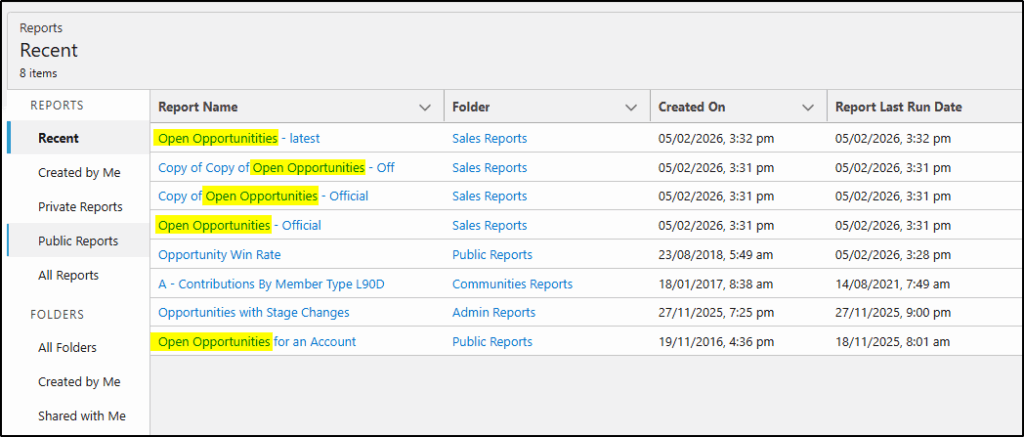
For admins, this becomes a constant source of friction.
For end users, it becomes a daily frustration.
The real cost of too many reports
Report sprawl is not just untidy. It has real consequences.
End users struggle to find the right report and often give up or use the wrong one. Managers lose confidence in the numbers because they cannot tell which report is authoritative. Admins spend more time supporting reports than improving the platform. Decisions slow down, and mistakes become more likely.
In regulated or data-sensitive environments, unused or poorly governed reports can also introduce compliance and security risks.
Yet despite all this, many organisations do nothing about it because cleaning up reports feels risky and time-consuming.
Why report clean-up is harder than it should be
The biggest challenge with report governance is visibility.
Out of the box, Salesforce does not make it easy to answer simple questions like:
- Which reports are actually being used?
- Which reports have not been run in a year?
- Which folders are empty or overloaded?
- How many standard reports are cluttering the org?
Without these answers, admins are forced to guess.
Guessing with business-critical reporting is not a comfortable place to be.
A smarter way to manage Salesforce reports
This is exactly the problem Report Manager from Application Perfection was built to solve.
Report Manager gives you immediate visibility into report usage across your org. You can see which reports are actively used, which ones have not been run for months or years, and how reports are distributed across folders.
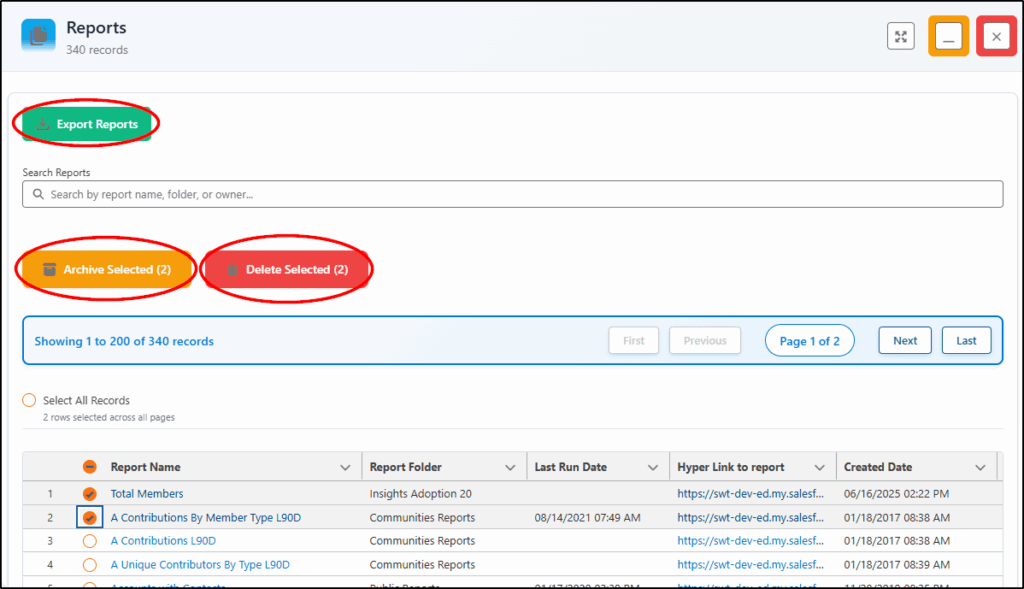
Instead of guessing, you can now make informed decisions.
- Do I export those reports?
- Do I archive them?
- Do I delete them?
You can also view these insights on the Analytics Dashboard, making it easy to review your report health regularly and support mass archiving or clean-up activities with confidence.
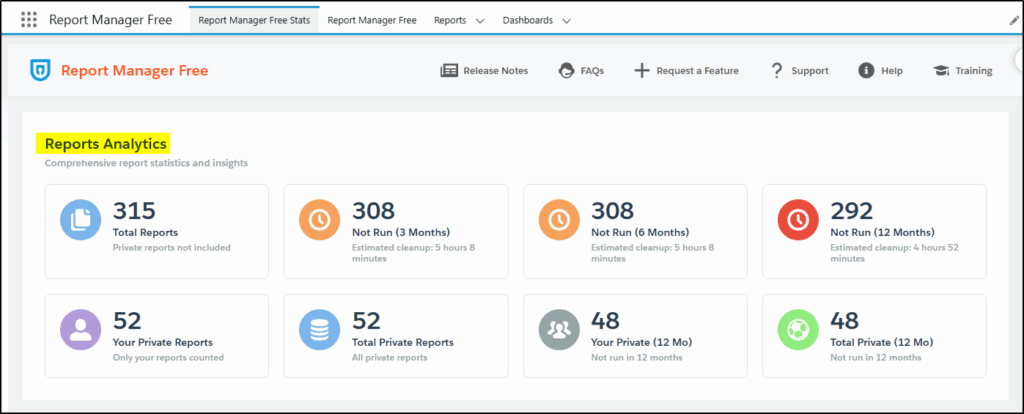
No disruption. No risk. Just clarity.
When basic visibility is not enough
Report Manager Free edition allows you to identify old reports that have not been run for some time, so you can manually clean them up. For organisations that want automation and stronger governance, Report Manager Pro takes things further with advanced reporting, management, and automation capabilities. This is ideal for larger orgs with complex reporting environments, or teams that want reporting hygiene to become part of their ongoing governance model rather than a one-off clean-up.
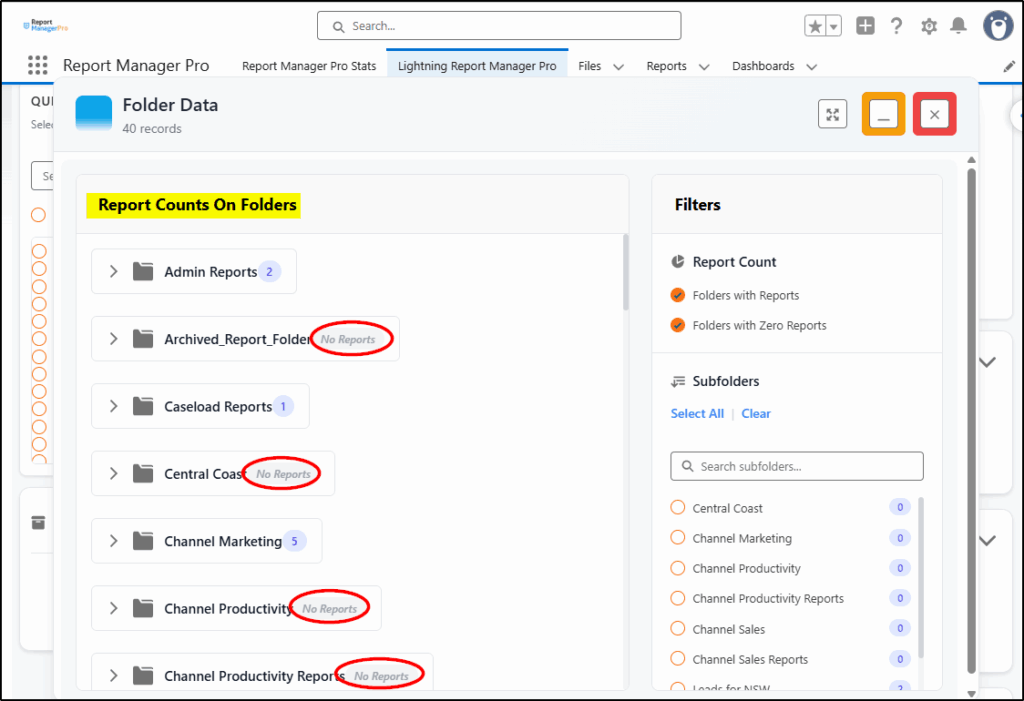
For example, you can analyse all your report folders and identify the empty ones:
The outcome is more than fewer reports
When report sprawl is brought under control, the benefits go beyond decluttering folders and removing duplicated or unused reports.
- End users find what they need faster and can act more quickly.
- Admins spend less time firefighting and more time adding value.
- Leaders regain confidence in the numbers they are using to make decisions.
- The risk of making decisions based on bad data is significantly reduced.
Cleaner reports lead to clearer insights, fewer mistakes, and a lower admin burden across the business.
Take control of your reports today
If report sprawl is quietly slowing your organisation down, now is the time to address it.
You do not need a big project or a risky clean-up exercise to get started.
You just need visibility.
Visit the AppExchange and download Report Manager FREE today. See which reports are being used, and identify what can be archived.
Choose Report Manager Pro to clean up your reports, speed up decision-making, and take back control of your Salesforce reporting.
Visit the AppExchange now to see all Application Perfection apps