
Unblocking your Sales pipeline
Problem:
Salesforce Opportunities often get stuck at certain stages, and it’s challenging to visualize where they become stuck.
Solution:
Create an event every time the Opportunity changes stage with a simple record-triggered flow. Install the Free Salesforce Labs Time Warp component to display these events in their own tab on the Opportunity Lightning Record Page.
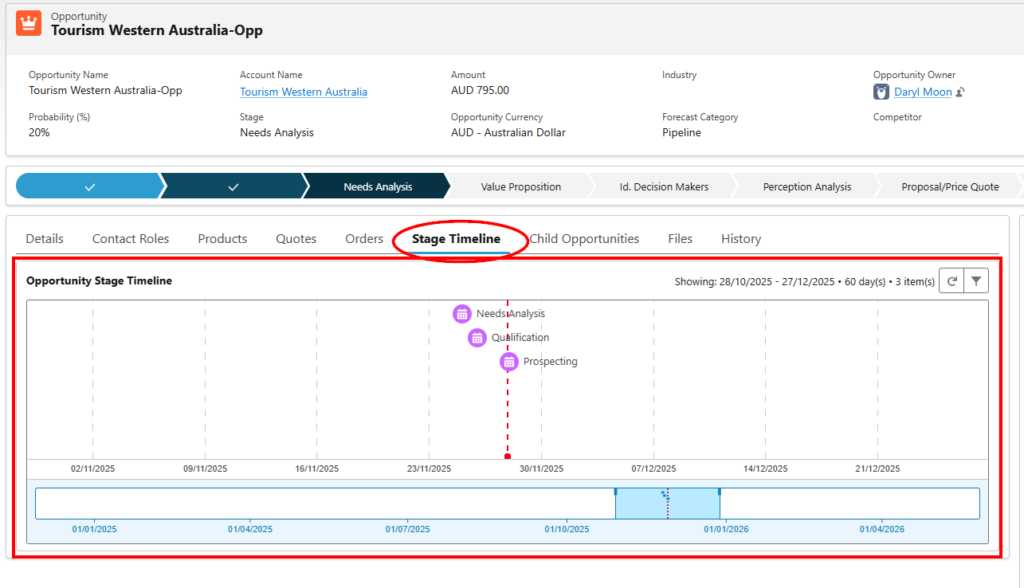
In the record below, it’s easy to see there is a large time gap between the Qualification and Needs Analysis stages – indicating it got stuck in the Qualification process.
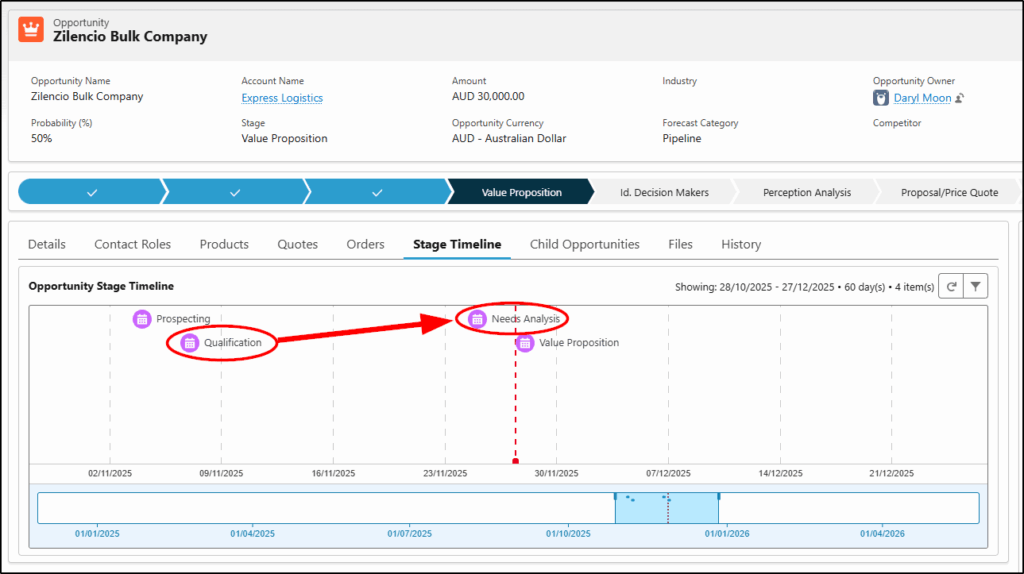
To help solve this, we need some related event records to add to the timeline as shown above. For this, we create a simple Record-Triggered Flow that will create a new event every time the Opportunity stage changes and will relate this event to the Opportunity record.
Create a Record Triggered Flow
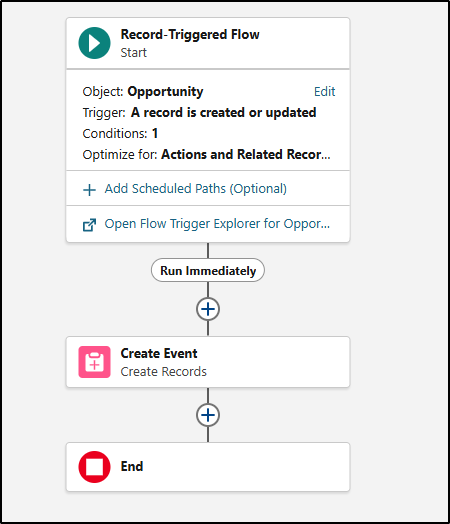
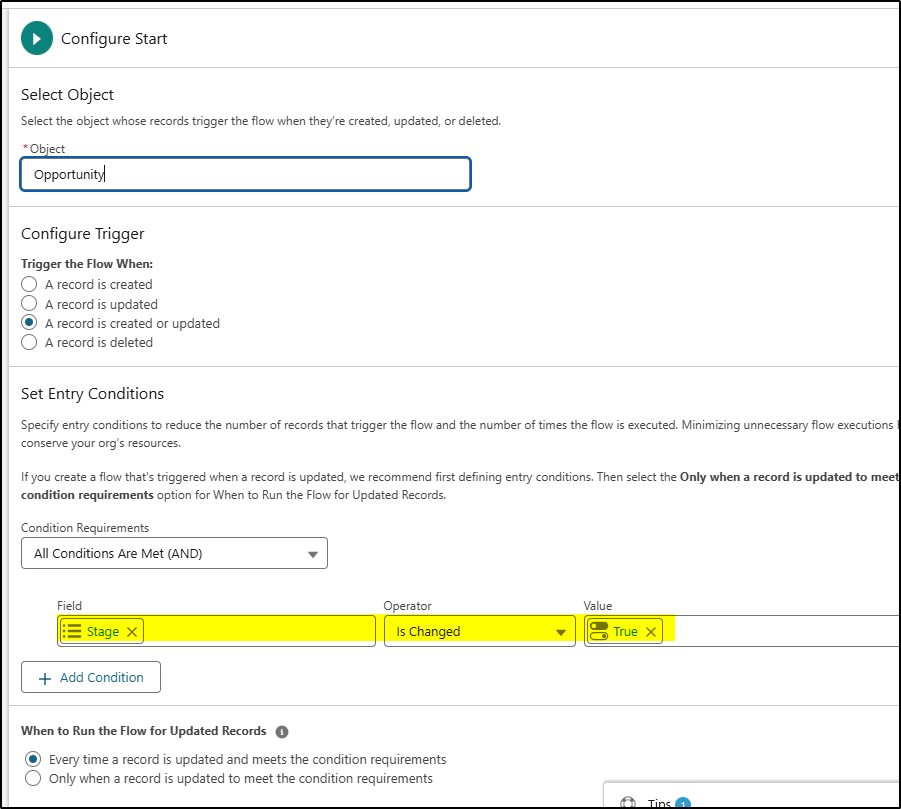
Start Criteria:
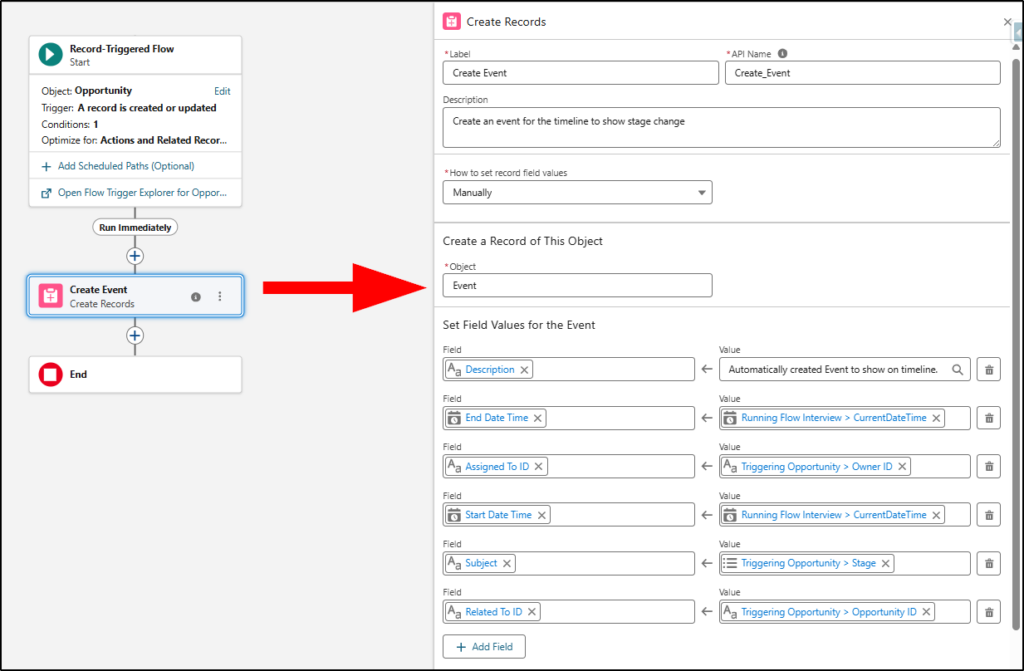
Create Event:
Save and activate the flow.
I called it: Opportunity-CreateEventOnStageChange
Install the Time Warp App from the App Exchange
https://appexchange.salesforce.com/appxListingDetail?listingId=a0N4V00000GXVf4UAH
For more technical details about the app, see the git hub page below:
https://github.com/deejay-hub/timeline-lwc
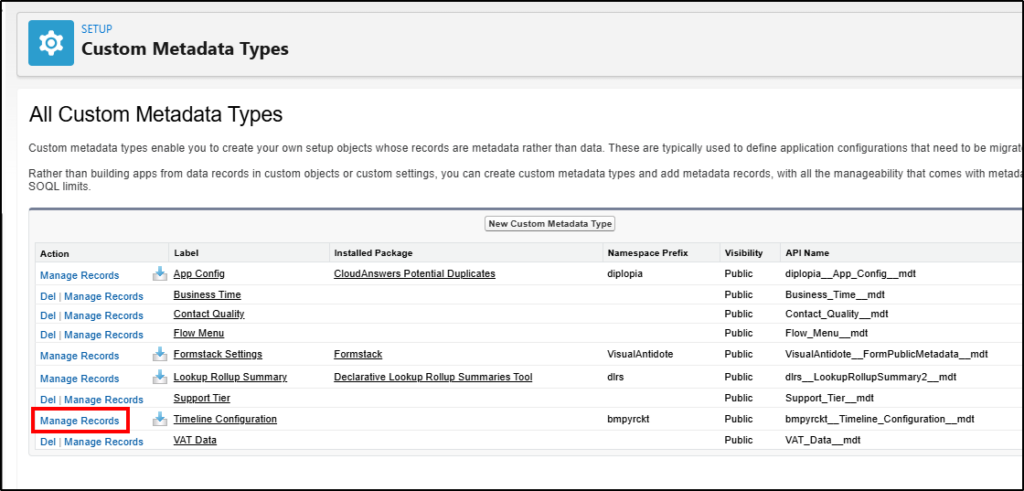
Custom Metadata Changes
The only ones you need to make are as follows:
If you don’t make these changes below, the timeline will show all events, tasks and related records. We want to only show the Events for this application. While you can customize this on the UI – every time you open a new record, it defaults back to showing all the events, tasks and related records so you need to configure the custom metadata to make this change permanent.
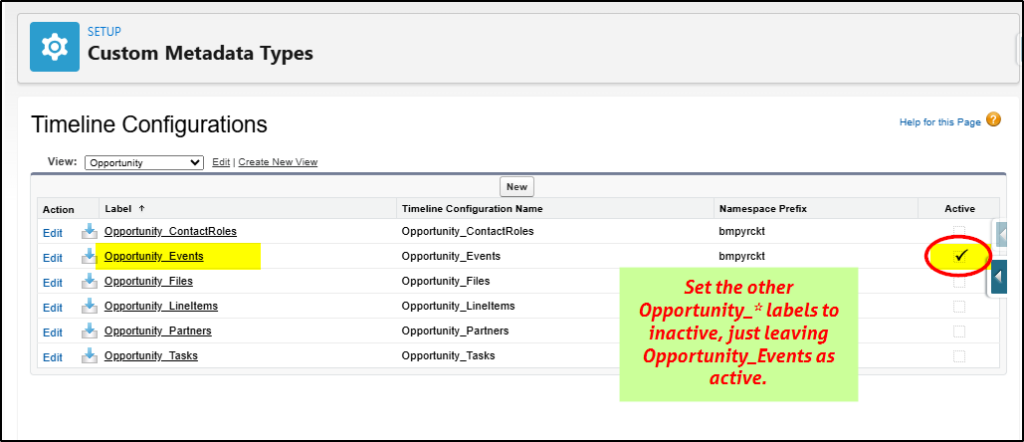
Set all the opportunity.* types (5 of them) except for Events to inactive.
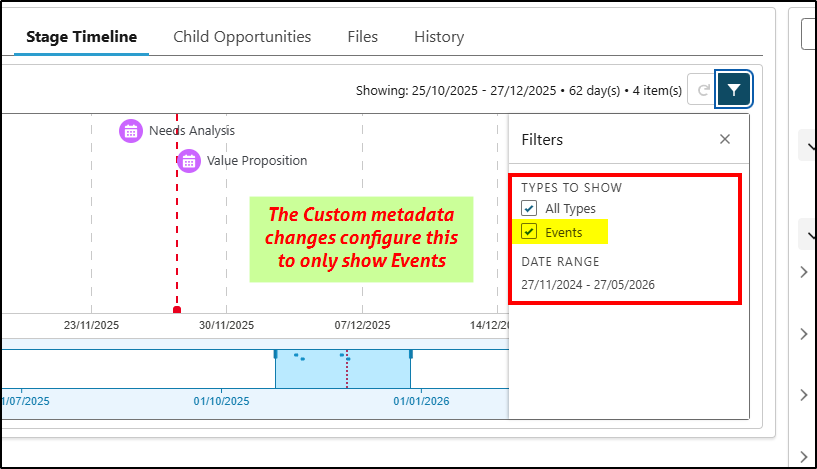
Now only events will be shown when you click the filter icon in the app.
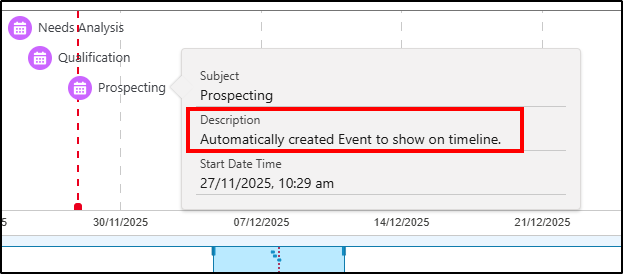
Add the Description field to hover:
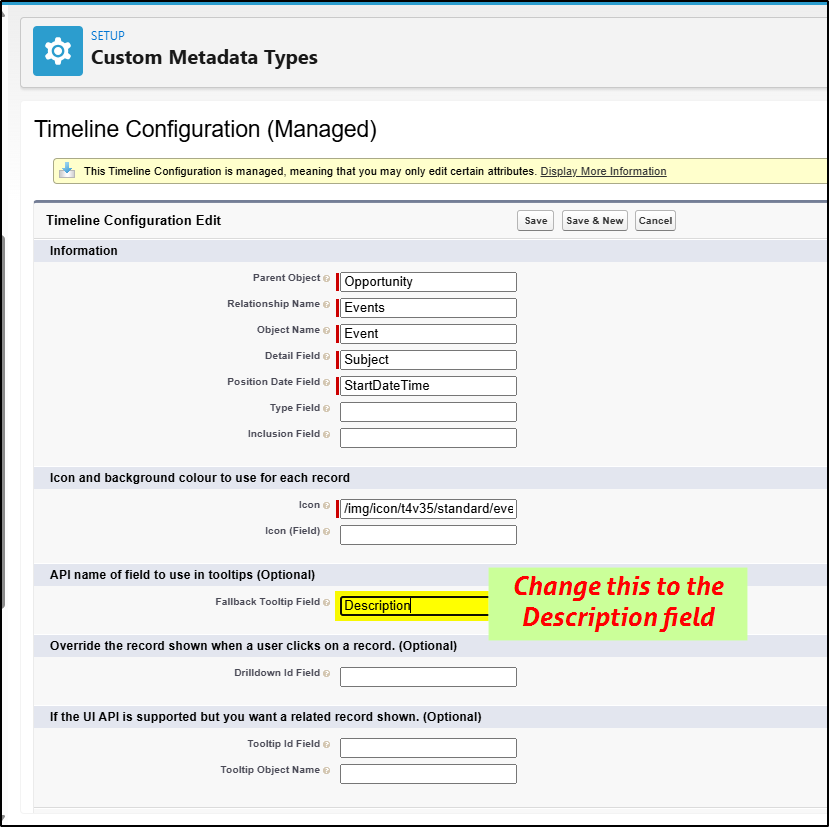
This changes the hover value by adding the description field into there.
See Quip doc for the complete configuration details: https://quip.com/ahFCA9VBEKtr
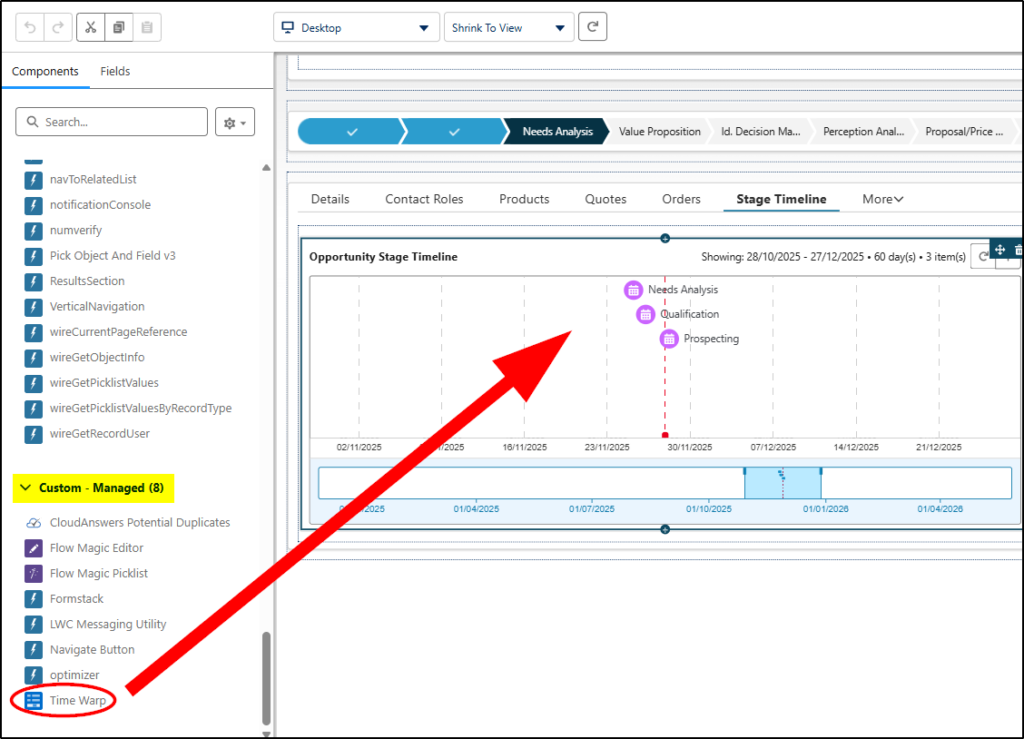
Add Time Warp Component to Lightning Record Page
I’ve created a tab (Stage Timeline) and added the component under there.
Result:
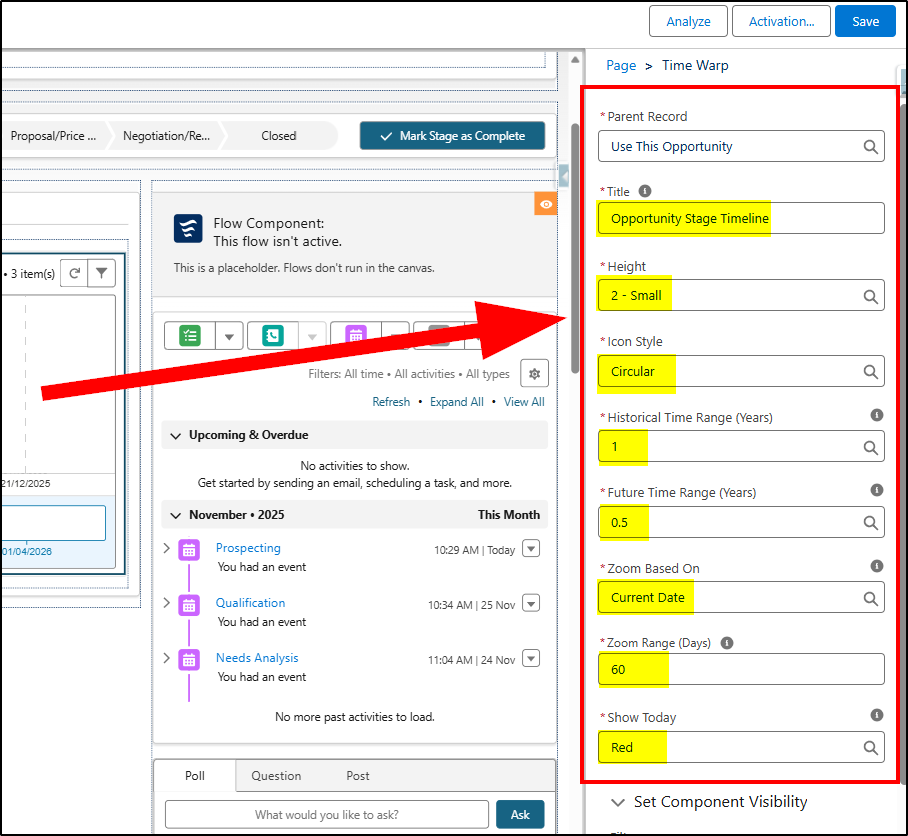
Configure Component on Lightning Page
On the right side of the page (with the Time Warp component selected, configure as follows:
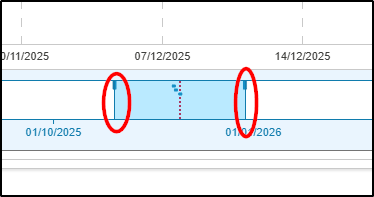
Note: When you have saved the page and have the timeline displayed for an Opportunity, you can change the date range displayed by dragging these handles left or right:
Now choose an opportunity and make some stage changes. If you want, you can manually edit the events created so you can spread them out a bit along the timeline (eg if you want to demo this to a customer with some “realistic looking” data).
Apply to Other Objects
This can easily be applied to other objects too – for example, for Cases. This would be a great addition to help manage cases and identify where they get held up. Simply change the flow to create the events when the stage changes on a case and modify all the other steps to apply to a case page.
Enjoy!