
Spring 26 Admin Features
The Salesforce Spring ’26 release is imminent, with a host of new features coming in late January/mid-February 2026.
This post focuses solely on the new Admin features. I have a separate post for the new Flow features here.
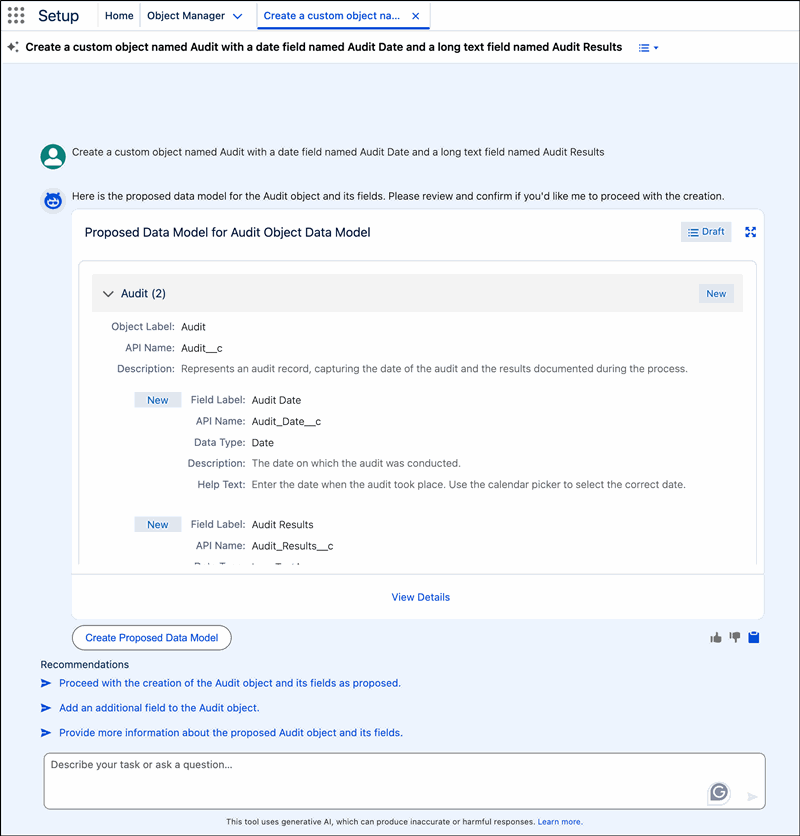
Setup featuring Agentforce
Of course, no new Salesforce release could exclude the inevitable appearance of AI. To help busy administrators navigate and configure Salesforce features, Agentforce intelligence is being added to the setup experience. Admins can issue commands or ask questions by using natural language in the chat window. The agent makes activities like creating objects and flows, managing user access, and troubleshooting formulas more intuitive and efficient, reducing navigation and clicks.
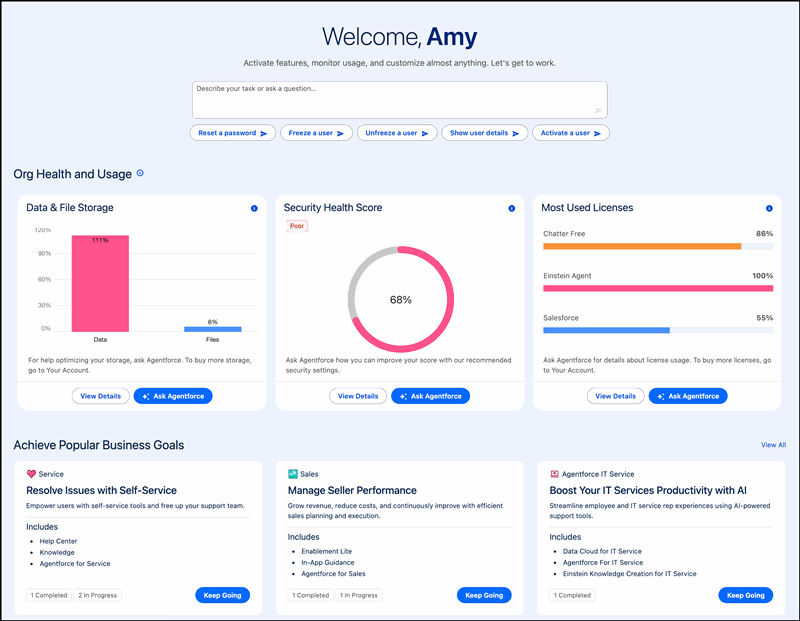
Setup with Agentforce adds a prompt bar, org health and usage metrics, and conversation recommendations to the Setup Home page and gets you started working quickly to complete common tasks.
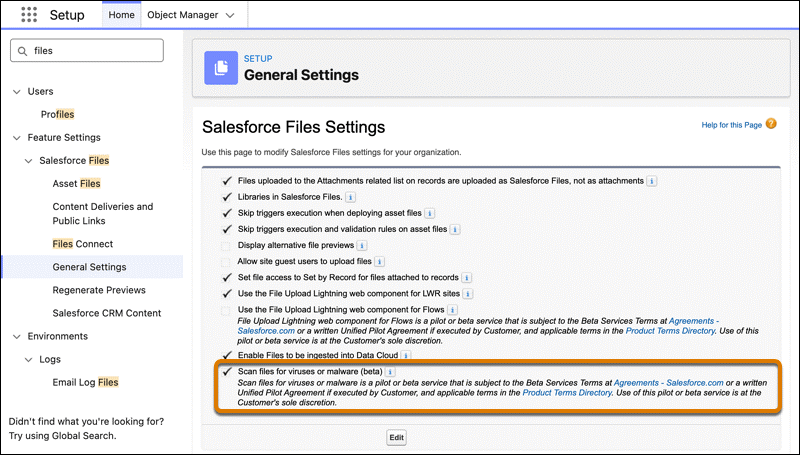
Scan Files for Malware (beta)
For improved security in your Salesforce org, files are now scanned for malware in Salesforce Files. When a user tries to upload a file, the process is blocked if the scanned file is malicious.
My Trust Center (beta)
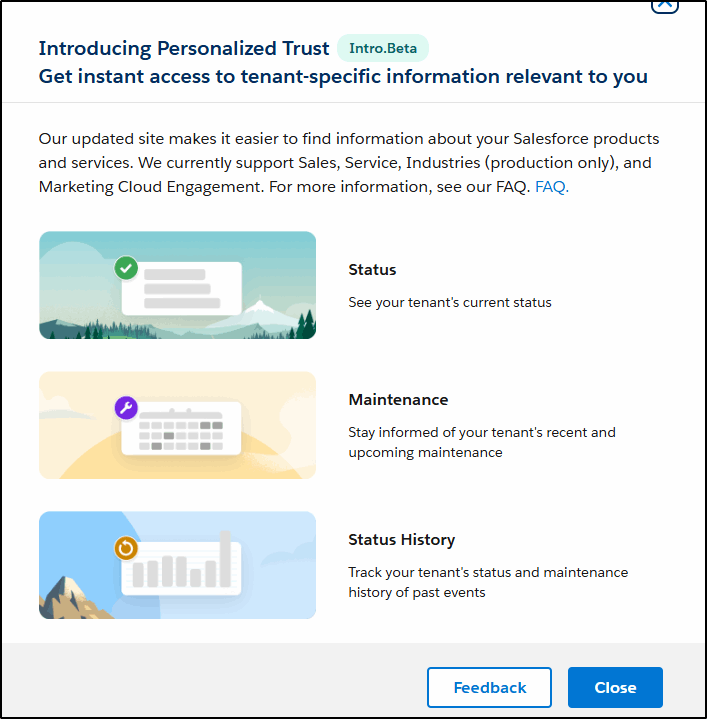
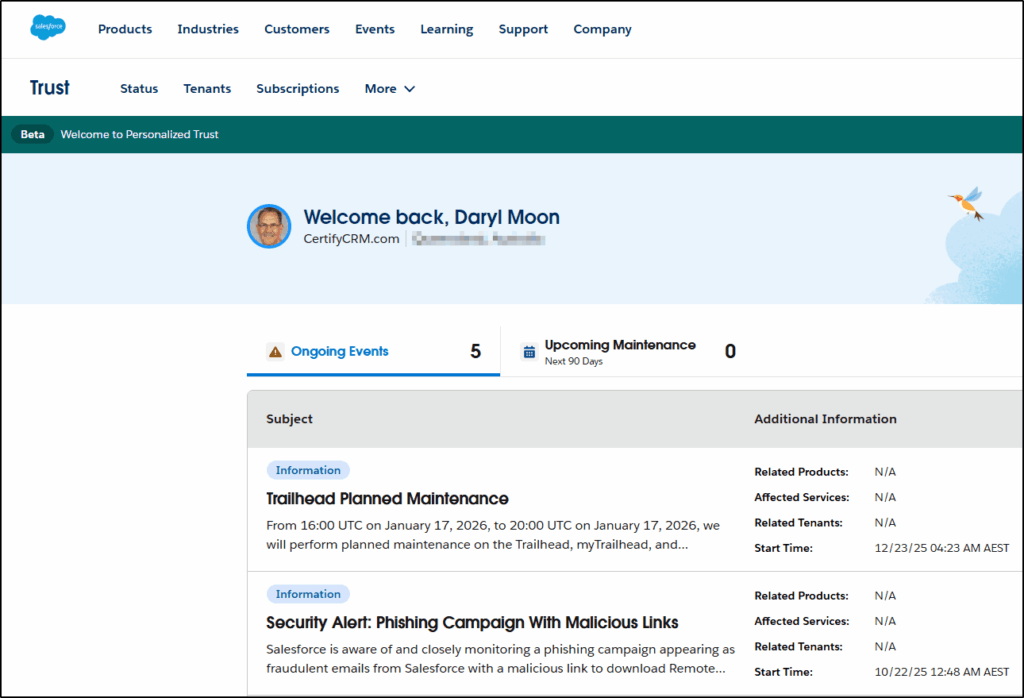
A more personalised version of trust.salesforce.com, the my.trust.salesforce.com brings together the relevant ongoing Events, Maintenance, and Status History, along with additional tabs for Tenant and Subscription information too, allowing you to view them all in one place.
This new, personalized experience remembers you, giving you quick access to the events, upcoming maintenance, tenant information, and subscriptions relevant to you.
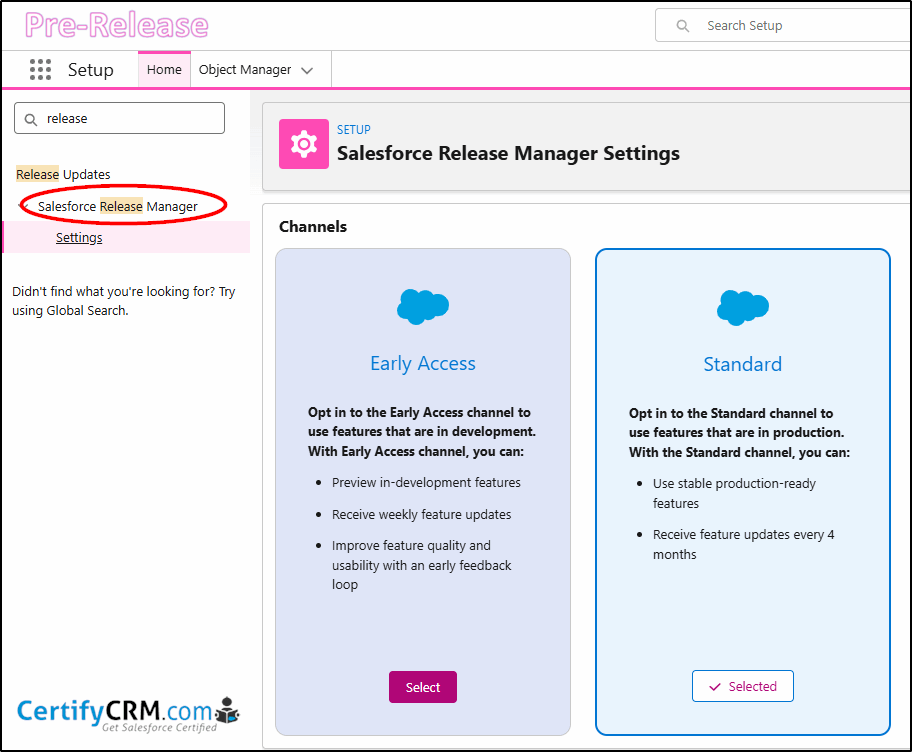
Release Manager Settings
Information on this feature is scarce, but it looks promising, allowing you to opt in for more frequent updates of new features. Obviously targeted to sandboxes and developer orgs.
Nothing at all in the Release Notes for this feature.
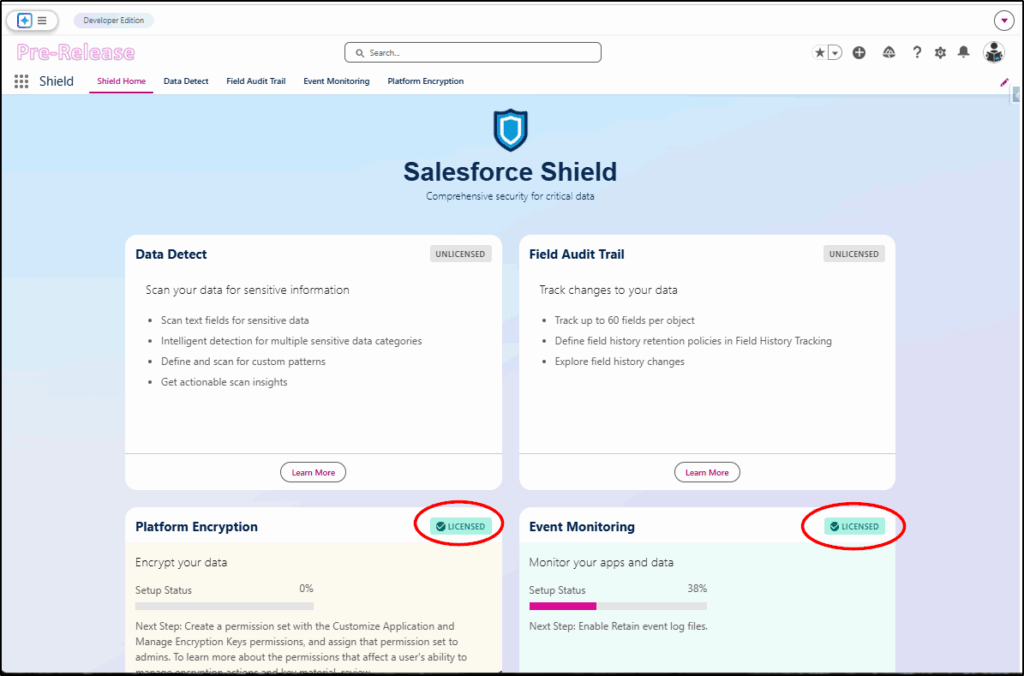
Salesforce Shield
The Shield add-on (normally an extra 30% of your total licence cost) not only has a new app to make it easier to manage, but it has new dedicated components for each feature.
Request Approval Component
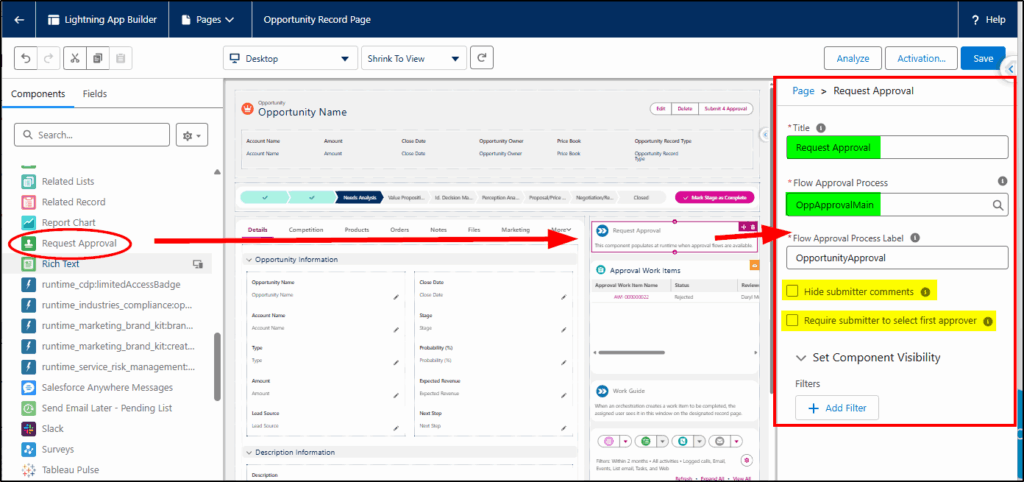
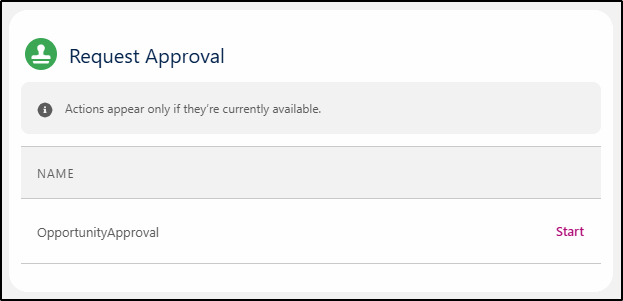
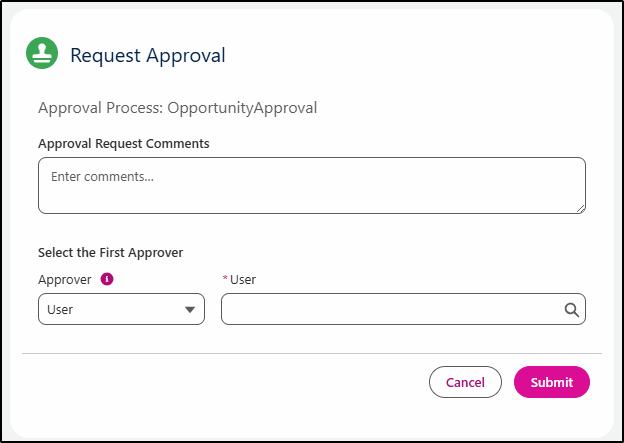
Missing from the new flow-based approval process was a component to add to a Lightning Page that allowed the end user to submit a record for approval (without having to create custom buttons). This has now been delivered in Spring 26 with the Request Approval component that you can add to Lightning Record Pages. This allows you to hide/show the comments from the submitter and can also prompt the user to select the first approver.
Connected Apps Disabled
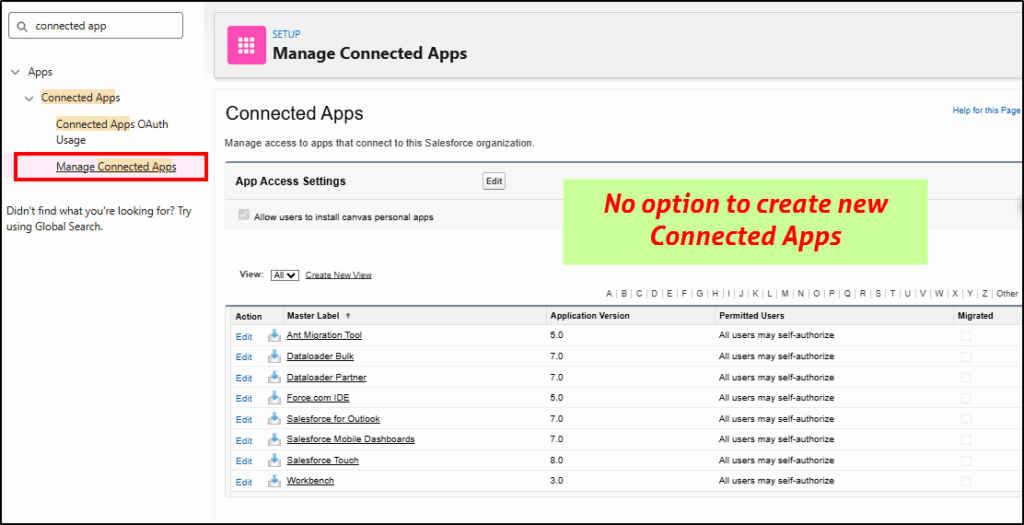
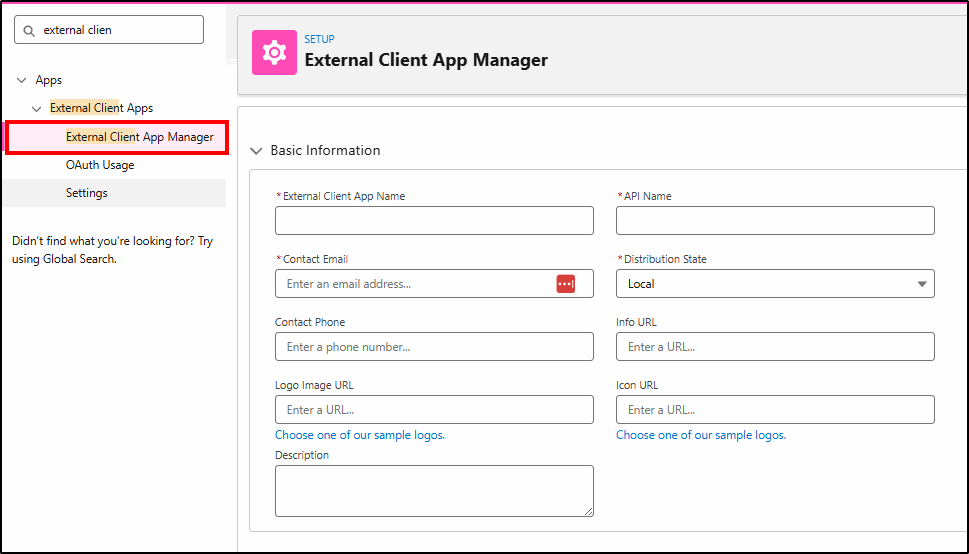
The Manage Connected Apps utility has been disabled (for security reasons) in favour of the External Client App Manager. Connected Apps were the source of many of the security breaches that occurred in 2025 and have now been disabled.
New Environment Banner
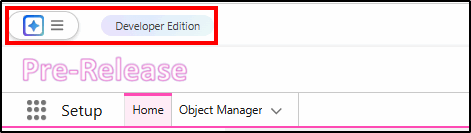
Just so you know which environment you are working in and don’t have one of those “whoops I just did that in prod!” moments, we have an official feature to remind us in the banner.
File Deletion Permission
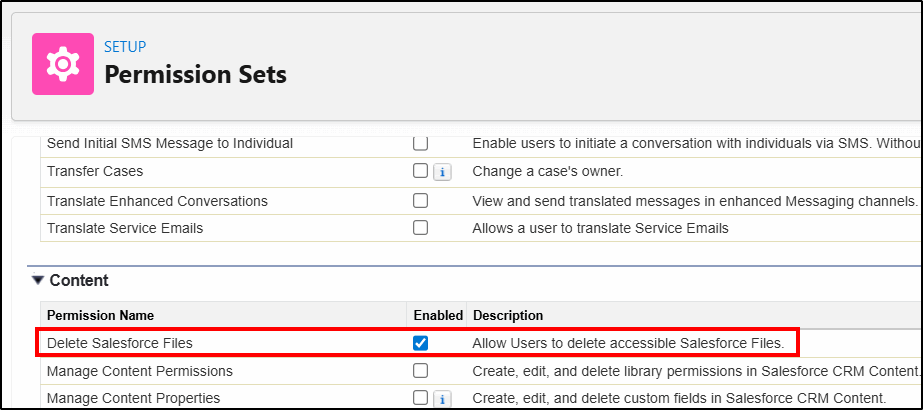
The file deletion permission is a welcome new addition. You no longer need to give users Modify All Data to enable them to delete files (which is way more access than they need for this task). Simply create a Permission Set and apply it to the users who require this permission.
Add Custom Disclaimer to Reports
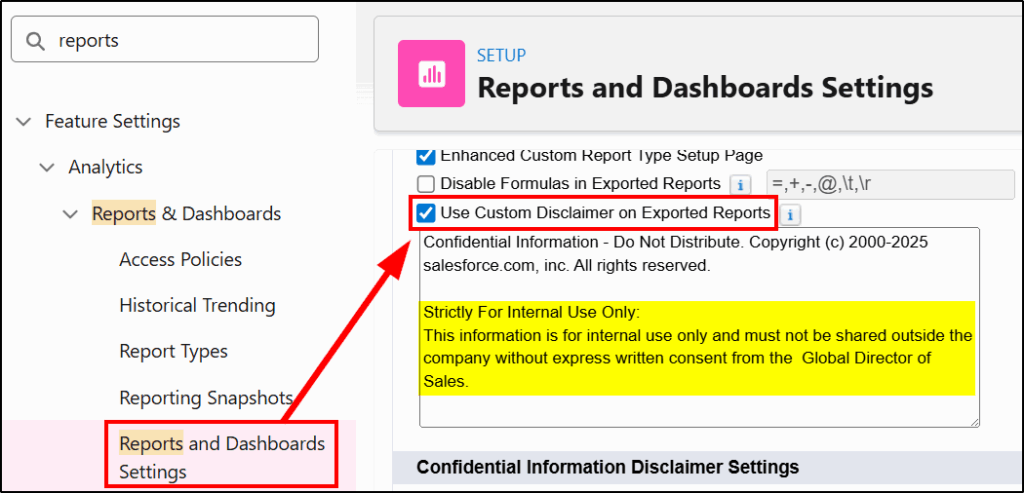
While you can’t replace the standard Salesforce disclaimer on reports, (or easily prevent the export of reports), you can now add a custom message to make it very clear what your company policy is with regard to sharing the information contained in reports extracted from Salesforce.
There is also a separate post covering just the new Flow Features.