
Proactive Salesforce Security
The Problem with Salesforce Security
Salesforce security has become significantly more complex as environments grow more connected, data-rich, and business-critical. At the same time, Salesforce data breaches have increased, making manual monitoring and reactive security approaches no longer effective.
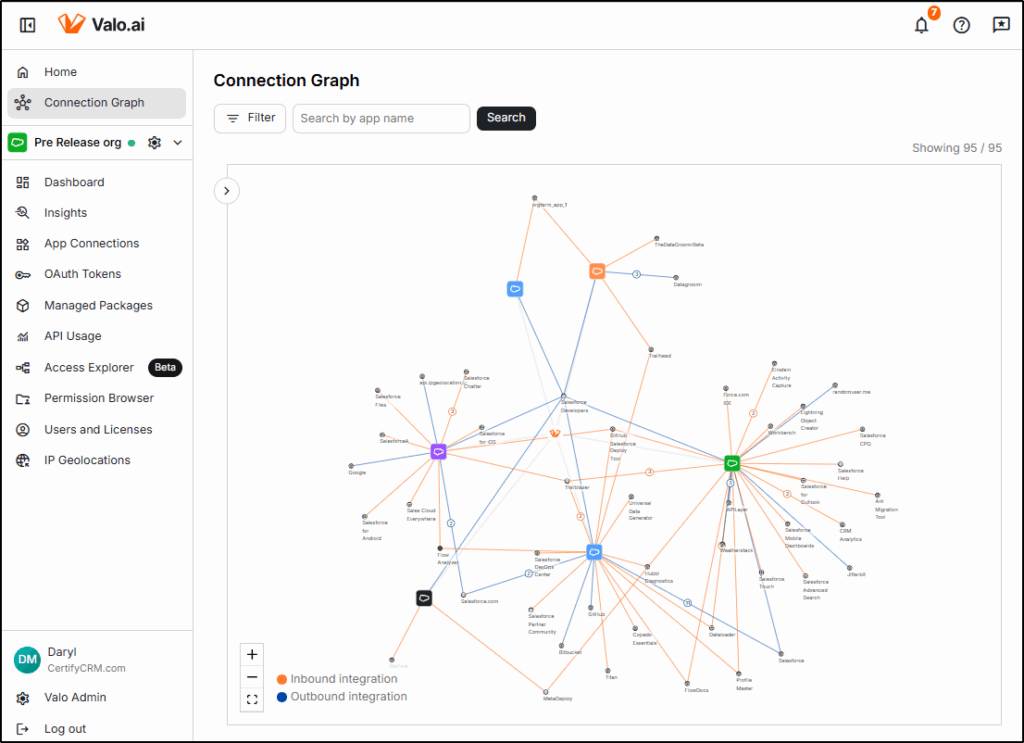
The Connection Graph shows connections between your Salesforce orgs and connected apps.
Admins and consultants are already overloaded and lack the tools needed to continuously identify and mitigate evolving threats. Static dashboards and permission reports provide visibility but fail to deliver the actionable intelligence required to prevent incidents before damage occurs.
Modern Salesforce security demands proactive, always-on scanning combined with best-practice analysis and AI-driven threat detection. System owners need real-time alerts for security risks and configuration changes, along with clear prioritization and step-by-step remediation guidance.
Instead of: a log showing report exports at 3 am.
You need: “A user exported customer data outside normal patterns. Risk score 9 out of 10. Suggested action: pause session, review activity, enforce MFA.”
Security threats never sleep; they are present 24 x 7, ready to catch you unaware. What is needed is a trusted service that is constantly scanning and looking for vulnerabilities and configuration settings that could lead to exposure.
The Valo Solution
Valo has assembled a team of security experts, some of the best available. Drawing expertise from the Salesforce Shield team, from F-Secure, and from the Nokia Telco Security team, there is a formidable force standing behind the Valo product.
- Valo is not a dashboard.
- Valo is not a reporting tool.
- Valo is a decision engine.
Valo addresses the challenge by acting as a decision engine, not a dashboard or reporting tool. By continuously monitoring Salesforce environments to identify risks and classify threats, Valo guides teams on exactly what to do next.
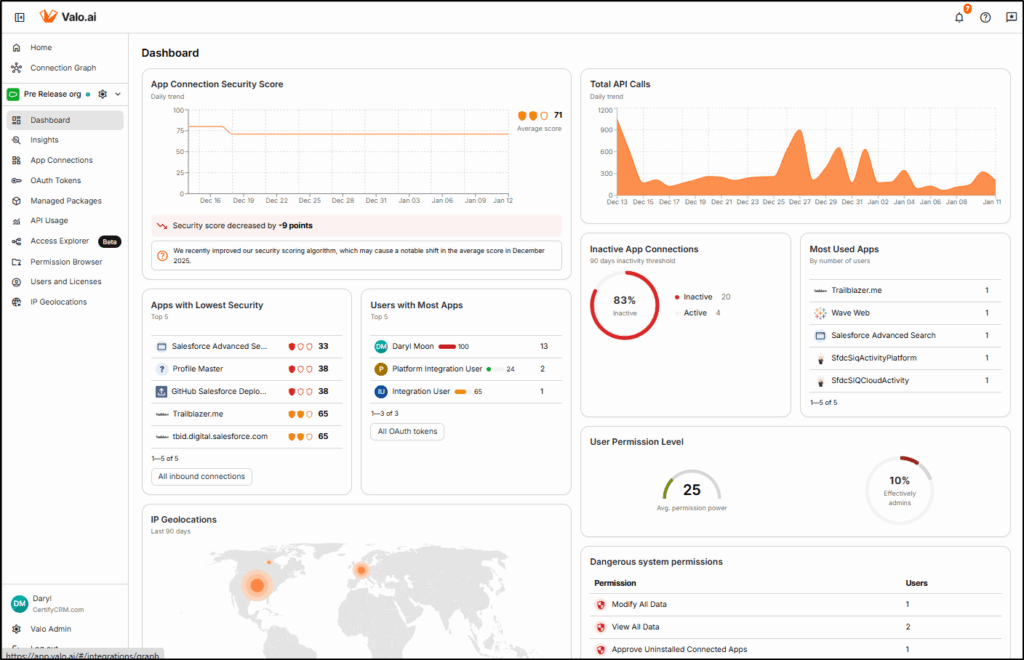
The Dashboard shows security at a glance for your connected orgs.
Specific Features I liked
- Alerts me to threats I could never have spotted on my own.
- Detects logins from new geolocations or suspicious IP ranges
- Identifies integrations behaving abnormally (authentication failures or excessive API use)
- Detects abnormal data exports and downloads so that I can stop data loss before it escalates. User behaviour has changed, user normally creates/edits 10-20 accounts per week, now downloading hundreds of accounts?
- Alerts me when critical configuration changes occur
- Analyzes user activity to intelligently suggest where you can safely tighten permissions without breaking critical workflows. This directly combats the “user access request fatigue” that leads to over-provisioning.
- Gives me a clear, step-by-step remediation guide so that I can fix security issues quickly without research.
Types of Insights Provided
The intelligent suggestions and alerts that Valo provides are called Insights.
Valo creates insights when the following incidents occur:
Unexpected Object Usage
When unexpected read/write operations occur on objects that only have admin access or those with Personally Identifiable Information (PII). Apps that attempt to write to an object that it has not written to before can be an early indicator of an attack.
Unusual API Call Volume
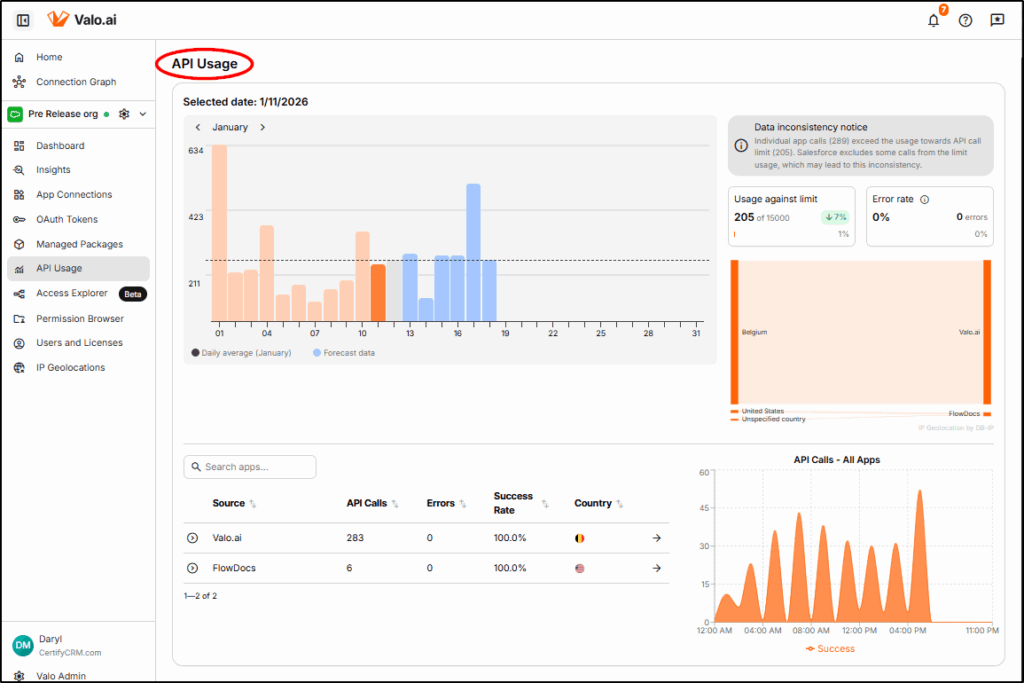
Valo closely tracks API Usage and alerts if the usage pattern differs significantly from the statistical normal range. API spikes can indicate an attack, a malfunctioning app or connection, or a user attempting to export a large number of records.
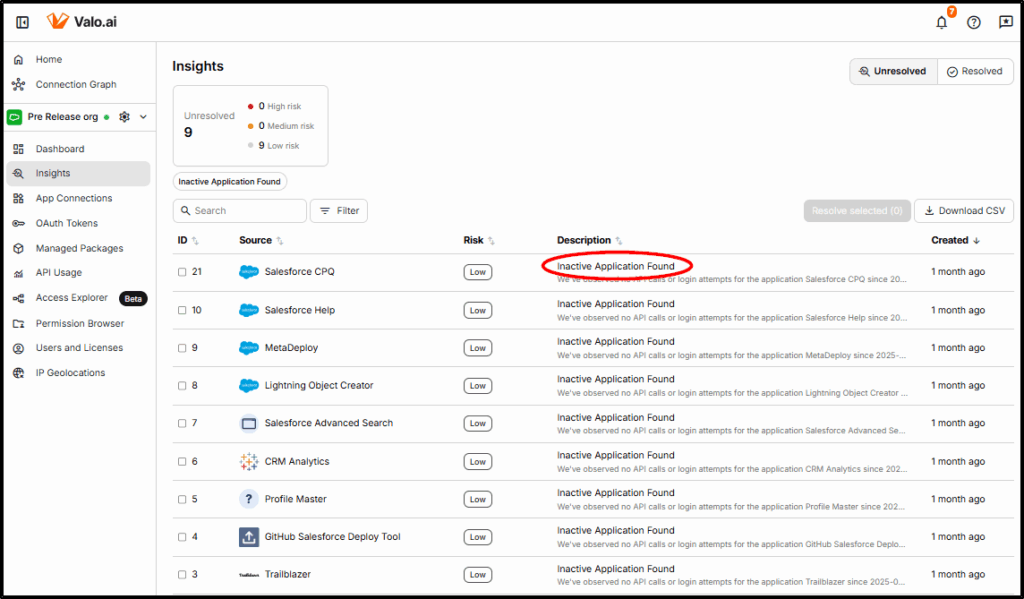
Unused Integrations
Integrations that are unused are an unnecessary risk. Valo will alert if an integration has not been used for 60 days or more.
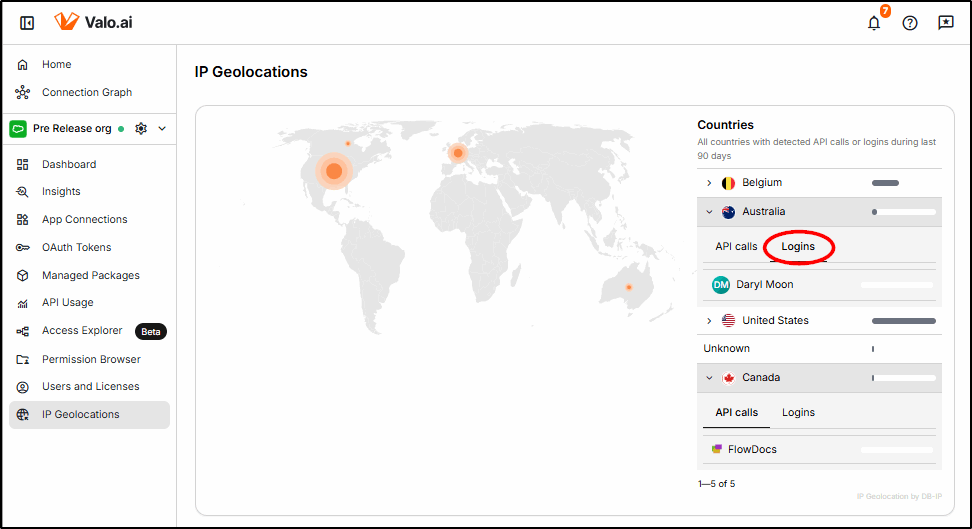
Suspicious Access
When access from a suspicious location is identified, an insight will be raised for the Salesforce team to investigate. It could be legitimate remote work, but it can also indicate stolen credentials that must be investigated.
Misconfiguration
If security has been weakened by the Admin exposing a guest user account to the world via the Apex REST API, then Valo generates an insight. These types of misconfigurations are hard to identify manually and can lead to unauthorised users gaining access to your data.
Failed Login
Insights are generated not only for physical users when they get a password wrong, but also for Integration users, which may indicate an attempted attack on an endpoint connected to your environment.
Low Reputation
Valo scans publicly available sources for connected services or applications to determine their security posture and uses this information as part of the rating system for connected apps.
Recent Breach
Insights are displayed when there was a data breach in one of the SaaS services being used, which could potentially compromise access credentials.
Insecure Authentication
If an authentication method is obsolete or risky, Valo will generate an insight. These insights are particularly high risk and need to be actioned quickly.
Connected Apps
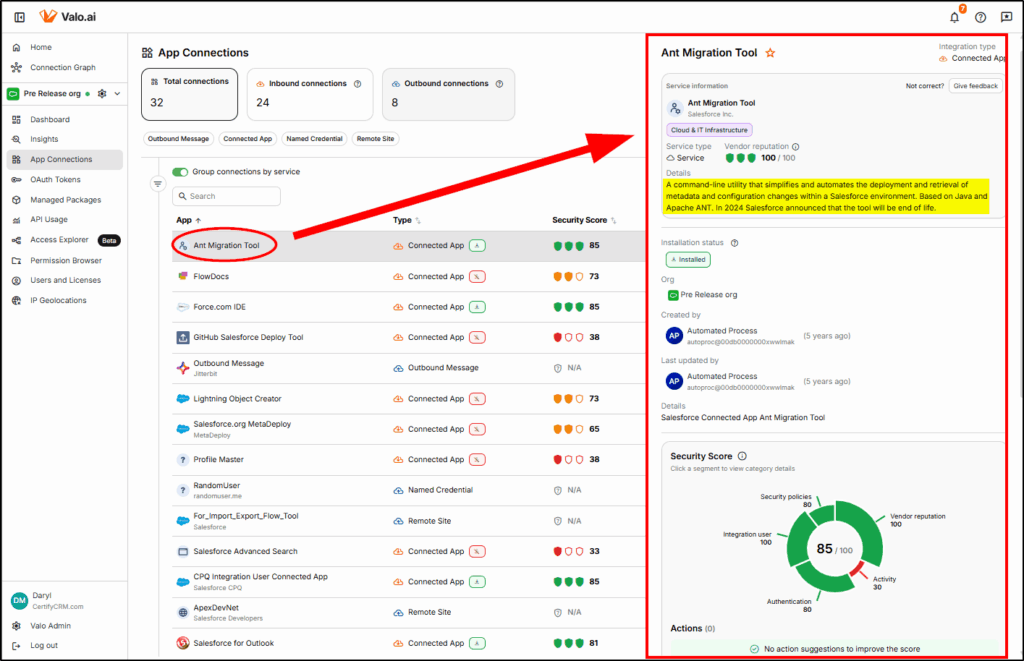
With connected apps being a major source of recent Salesforce data breaches, it’s important to review all connections and ensure they are secure. The App Connections function provides a security score for each connected app.
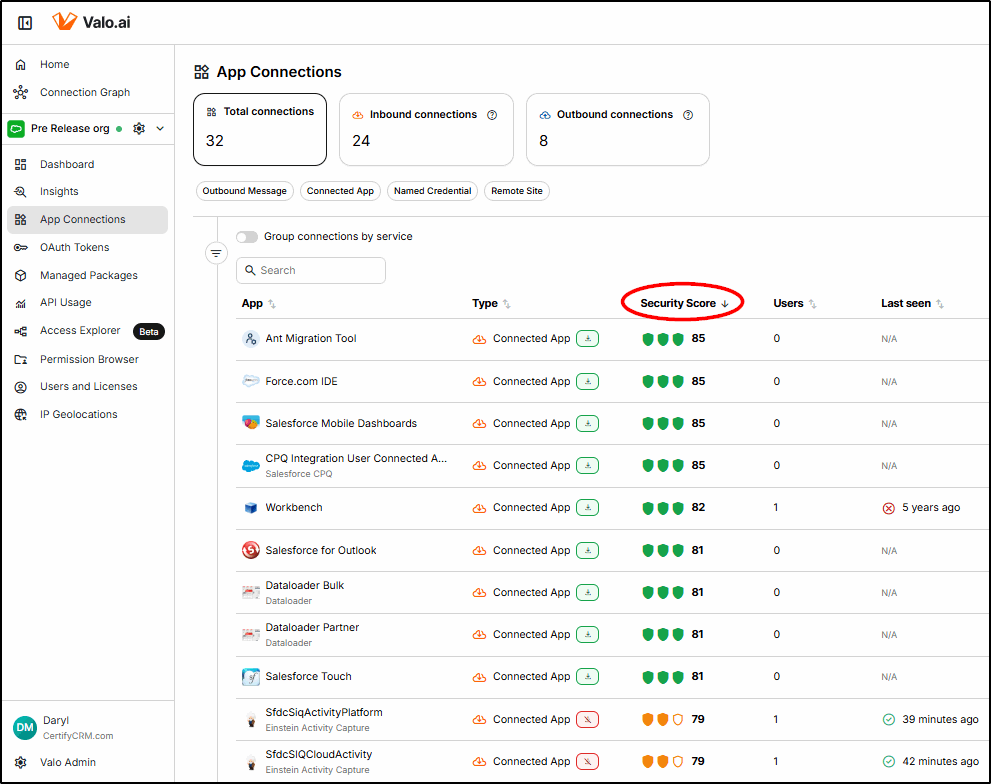
Choosing one of the Apps, provides a detailed breakdown of the score and more information about the app:
Rogue Connected Apps
Read about how one admin experienced a rogue Connected App that exhausted all the API calls for the day, causing a variety of seemingly unrelated symptoms. The API Call Crisis.

https://www.valo.ai/blogs/when-connected-apps-go-rogue-a-real-world-salesforce-horror-story
Users and Licences
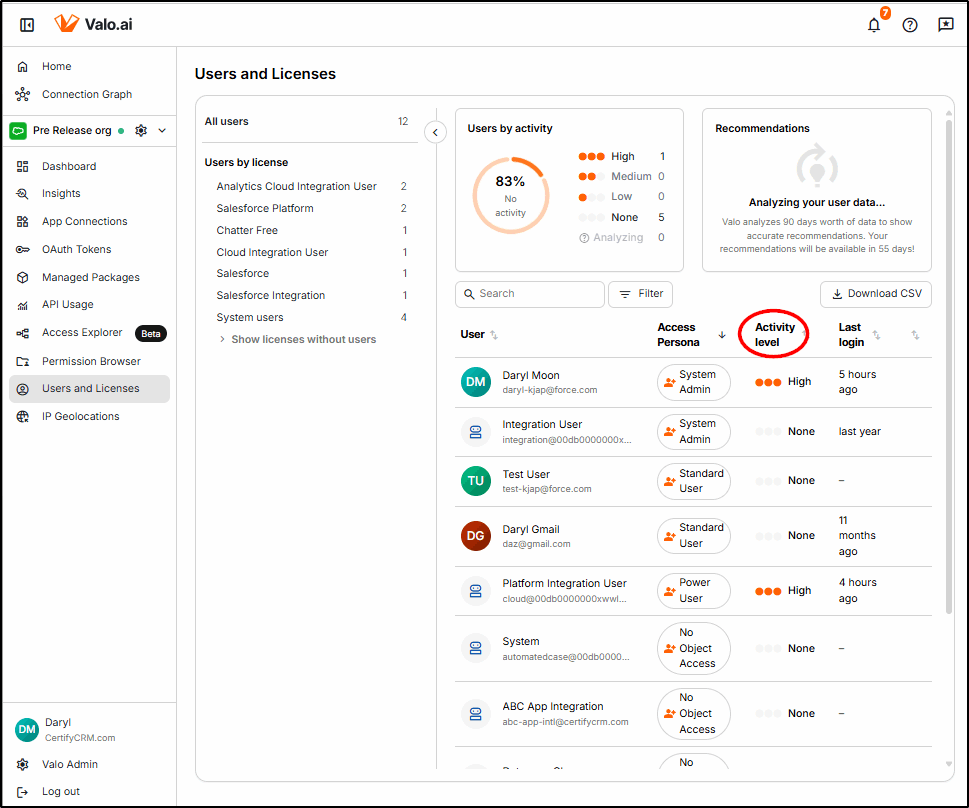
Part of securing your platform is making sure that users comply with the principle of least privilege. Valo helps to ensure that your users have the minimum-security level required to do their jobs and the appropriate Salesforce licence.
Where users are found to have permissions or licences that are in excess of what is required, Valo will generate Insights that recommend how to remediate them.
Permission Browser
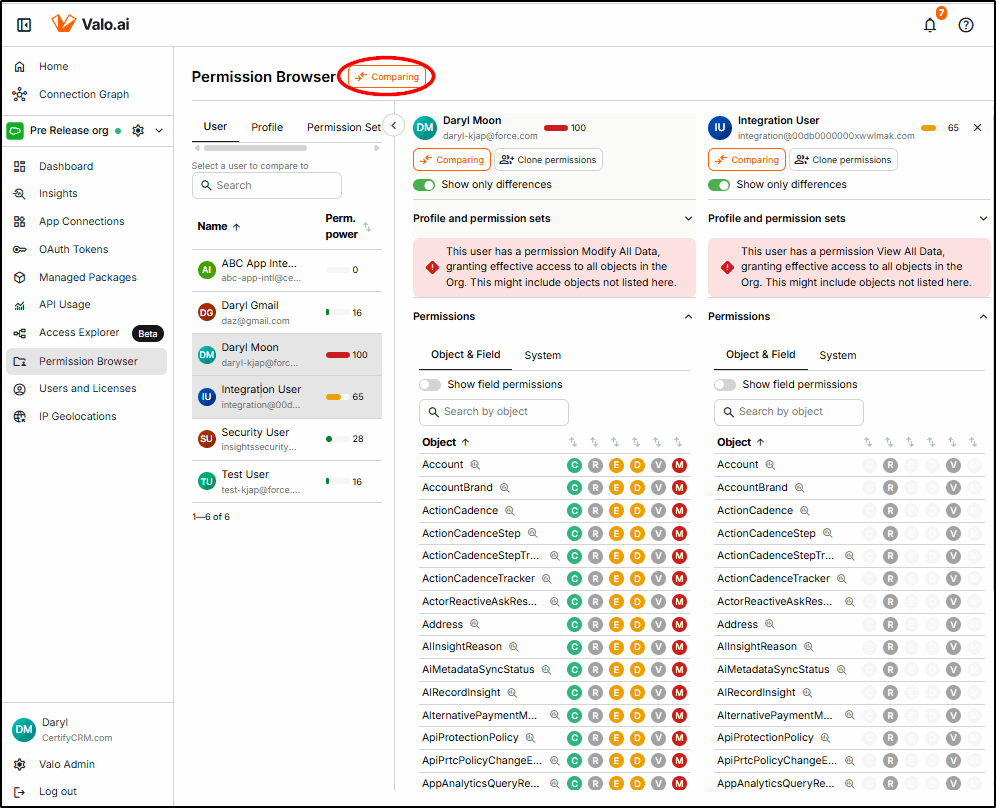
To help identify permission problems that may be within Users, Profiles, Permission Sets, or Permission Set Groups, Valo provides a Permission Browser that allows quick and easy access to view and compare permissions.
Here, two users are being compared to show the differences between a user with a System Administrator profile and an Integration User.
The first view shows the object-level permission differences:
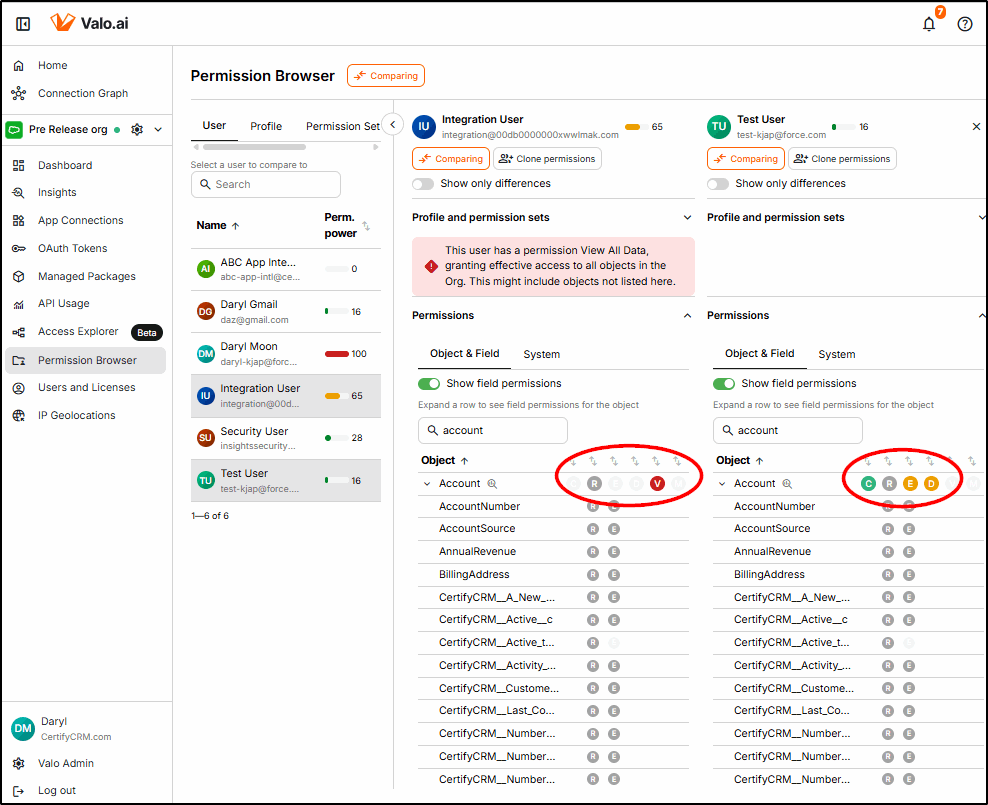
Next, we dig in deeper (with two different users) to compare the Field Level Security within the account object. While the field-level security is the same, the object-level security will prevent the Integration User from editing individual fields (e.g., the AccountNumber field).
This graphical view makes it so quick and easy to immediately spot the differences.
The same functionality is available at the Profile, Permission Set, and Permission Set Group levels.
Access Explorer
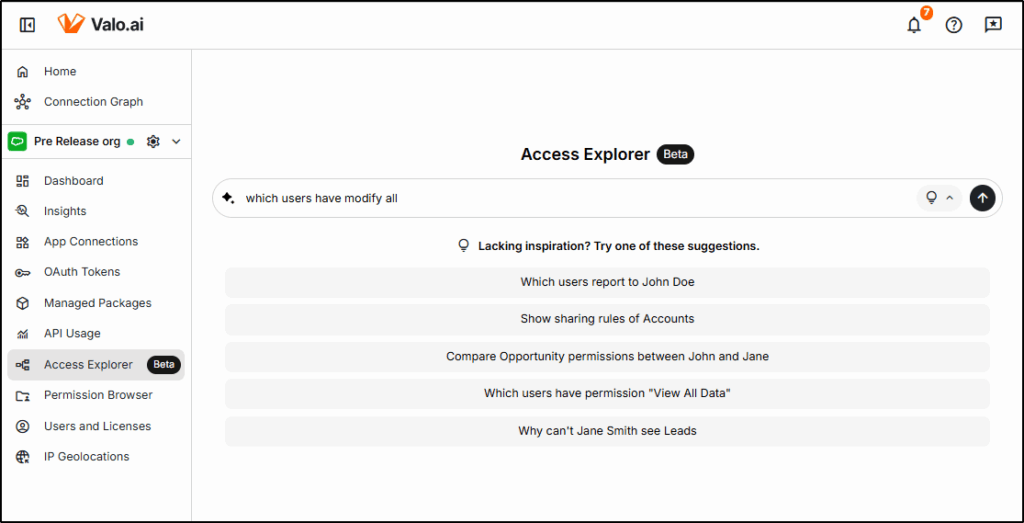
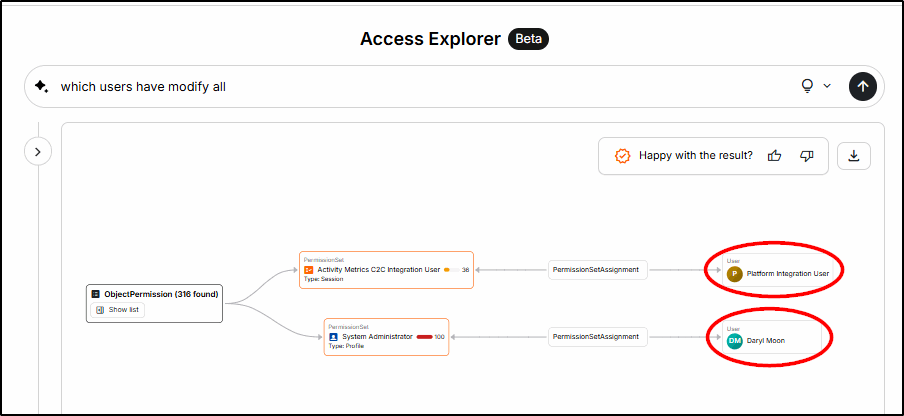
A new (beta) feature being developed is the AI-powered Access Explorer. Now you can use a natural language to query security configurations.
Summary
As Salesforce environments become more mission-critical with more connections to external systems, the challenge of keeping the data secure while interacting with the outside world gets more difficult. Manually managing security becomes exponentially more difficult, and already overloaded Salesforce team members struggle to keep up with day-to-day demands.
Tools like Valo provide that back up, quietly working away in the background, keeping your data safe. Creating Insights with step-by-step guidance helps your team deal with emerging threats. AI components ensure that emerging threats are identified quickly and acted upon by applying best practices.
Want a free 3-month trial of Valo?
Head over to the AppExchange listing and use the code ValoDaryl26 to get your free 3-month trial.
https://appexchange.salesforce.com/appxListingDetail?listingId=b6bcda41-612d-43bf-8150-d9f830ba1240