Permission Management for Security and Compliance
1. Compliance pressures are rising
Salesforce security used to be an internal concern. Now it is external, regulated, and audited.
Frameworks like GDPR and SOX are not just guidelines. They demand proof. Auditors want to see exactly who has access to what, when that access was granted, and why it exists.
Features demo…
It is no longer enough to say “we think our access is under control.”
You need:
- Clear access records
- Evidence of regular reviews
- A defensible model for how permissions are assigned
If you cannot produce that quickly, audits become painful. And expensive.
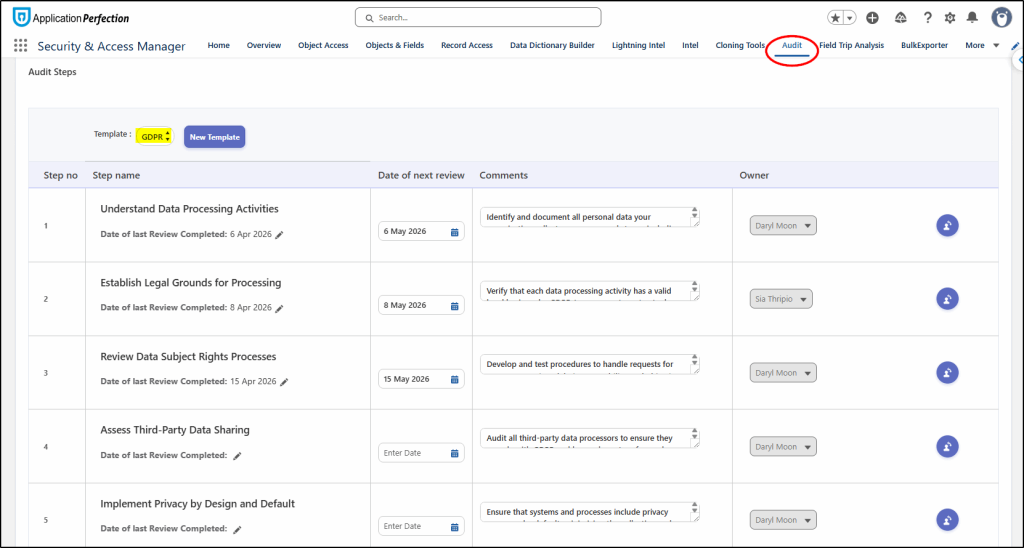
Recording your GDPR or SOX compliance activities via the Audit tab provides this evidence:
2. Manual processes introduce risk
Most orgs still manage permissions manually. That is the problem.
Admins export reports. They review profiles and permission sets. They chase stakeholders for validation. Then they repeat it all next quarter.
This approach breaks down fast.
Why:
- Humans miss things
- Access accumulates over time
- Temporary access becomes permanent
- Documentation falls behind reality
All it takes is one over-permissioned user to create a security gap.
Manual reviews are not just inefficient. They actively increase your risk surface.
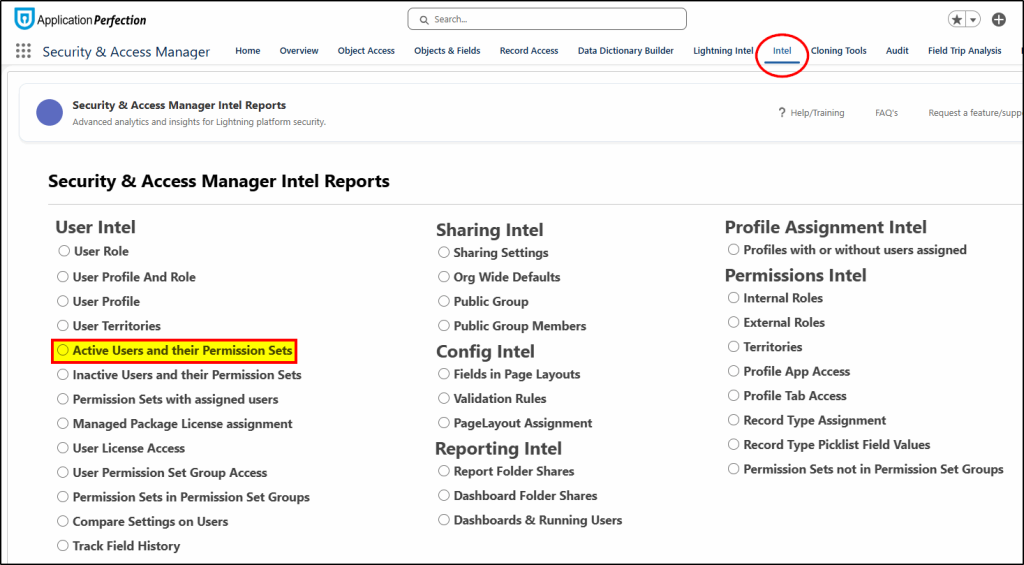
Standard Reports reduce that risk:
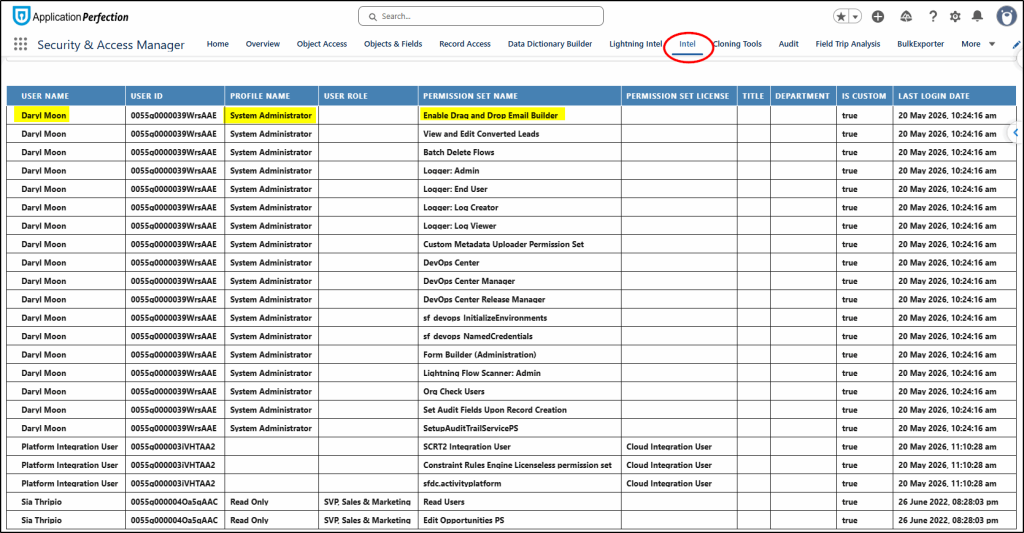
3. Identity and Access Governance explained
Identity and Access Governance (IAG) is about control, visibility, and accountability.
Instead of reacting to access issues, you design a system that prevents them.
A governed approach means:
- Access is assigned based on role, not ad hoc decisions
- Reviews are structured and repeatable
- Least-privilege is enforced by design
The benefits are immediate:
- Reduced risk of data exposure
- Faster audit response times
- Cleaner, more maintainable permission models
- Less reliance on tribal knowledge
This is not about adding complexity. It is about removing chaos.
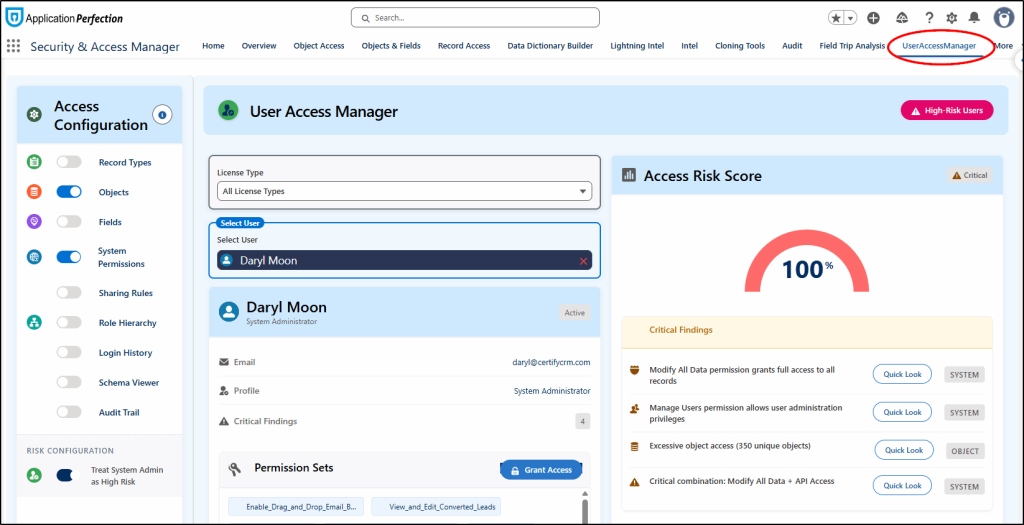
The User Access Manager feature provides a lens to view the user as a whole security identity:
Here we view a user with their Objects and System permissions selected (on left IN Access Configuration).
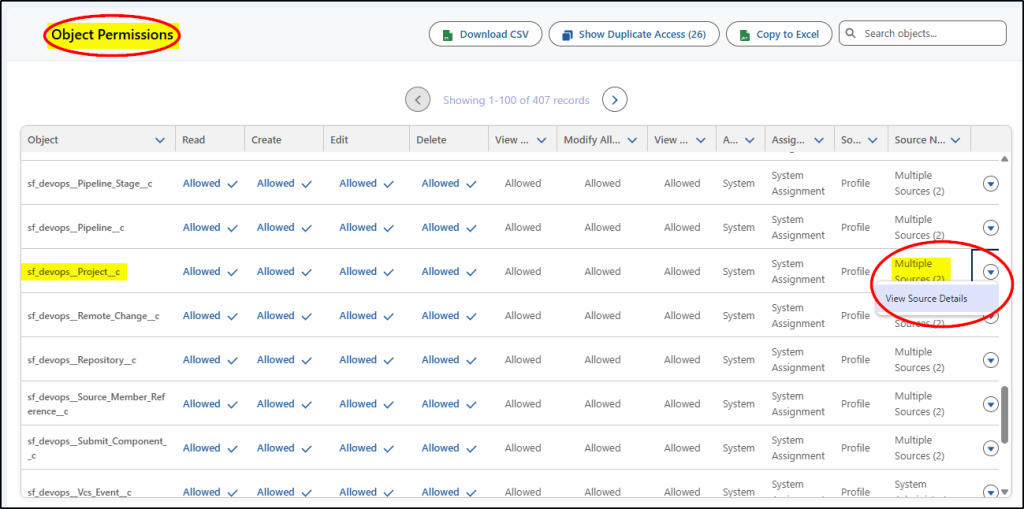
In the Object Permissions section, we see that Multiple Sources provide access to this object:
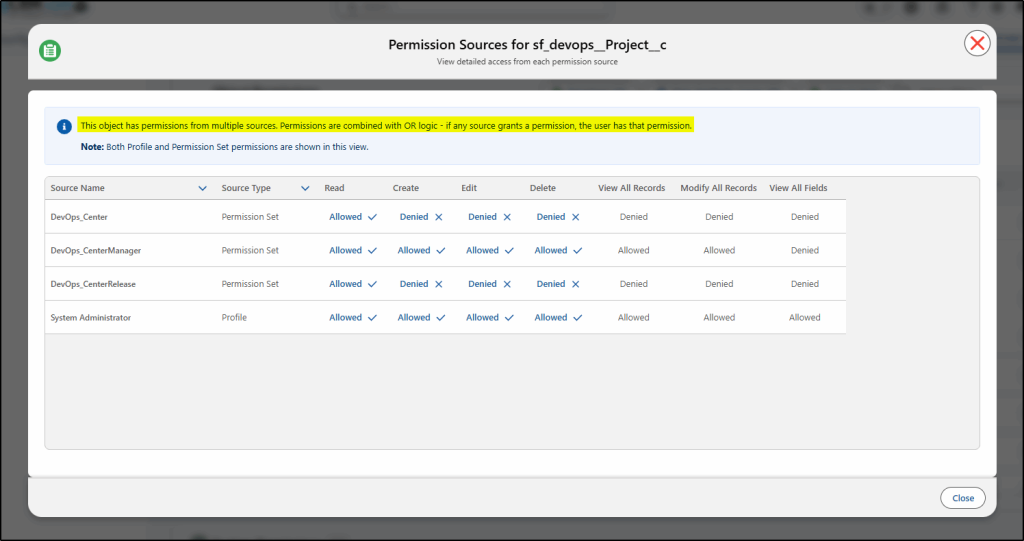
Digging deeper, we can see which Profiles and Permission Sets provide that access.
Note: The permissions are combined with OR logic. If any source grants a permission, the user has that permission.
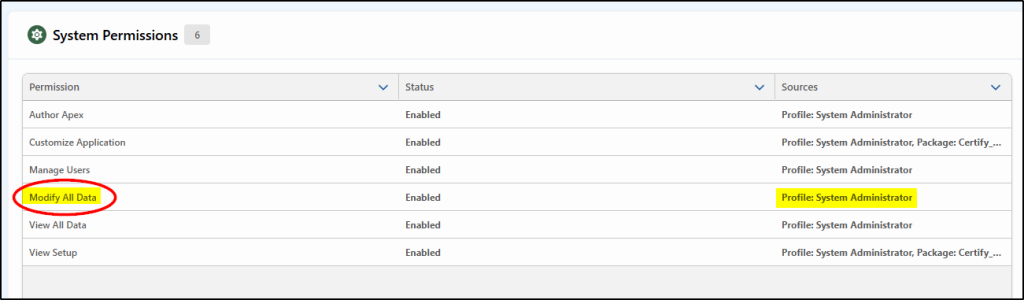
Drilling down into the System Permissions provides a quick summary
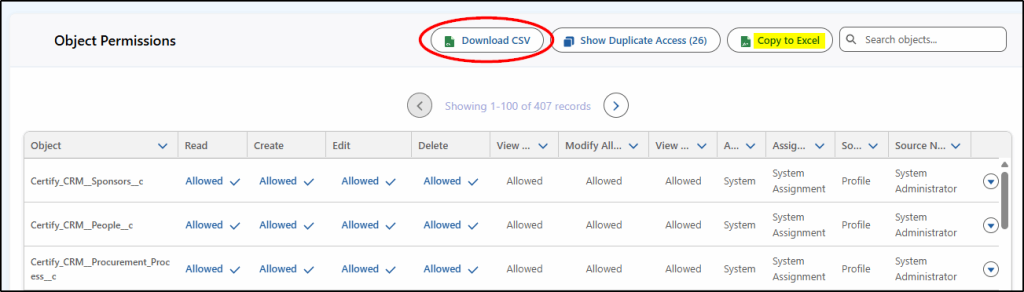
You also have access to export this data to Excel – perfect to provide to external Auditors:
4. Expanding the view beyond a single user
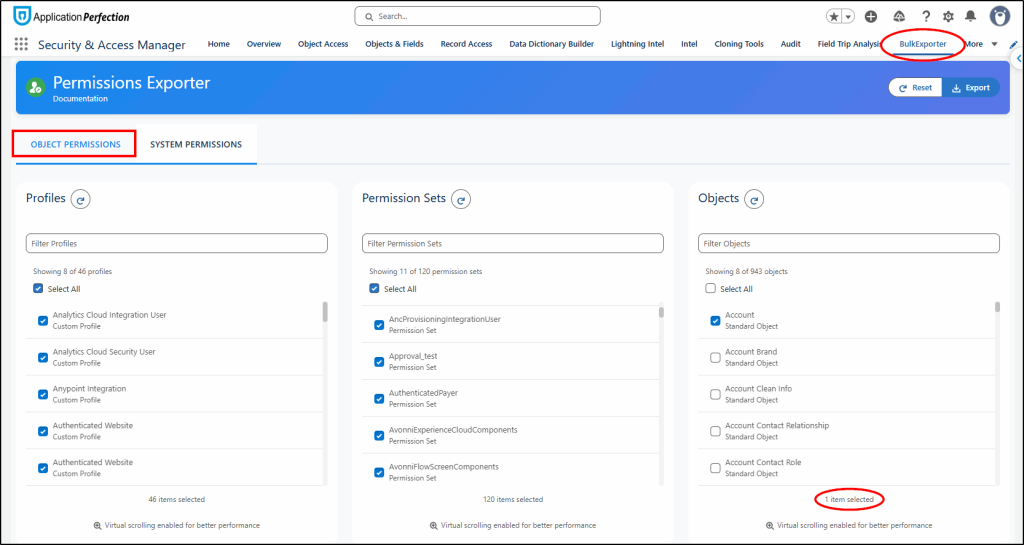
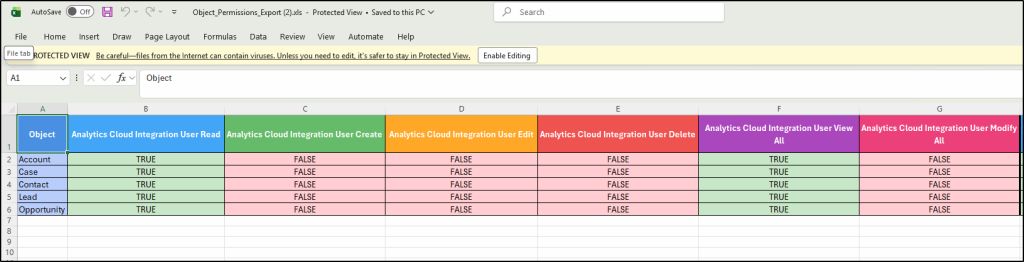
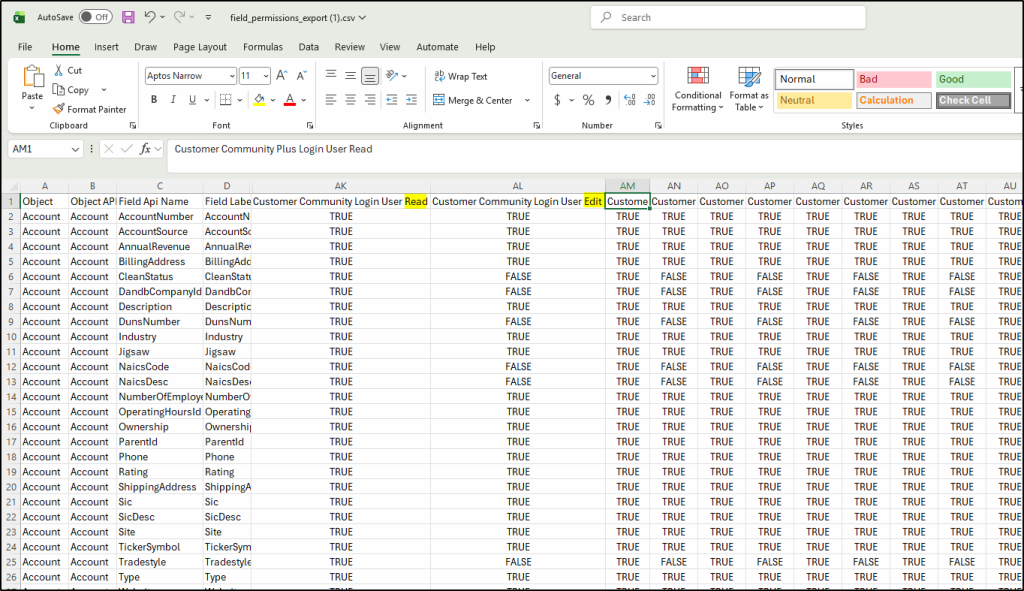
When you need to view the detailed security of many users covering all their profiles, and permission sets with Object, Field, and tab access, the Bulk Exporter function allows you to extract this data and export it to Excel for further analysis:
Choose which options you require:
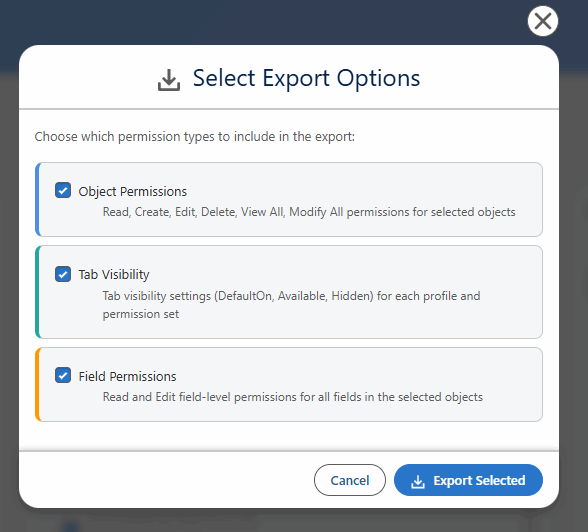
Object Permissions:
Field Permissions:
5. Measure your security posture
If you are not measuring it, you are guessing.
Start with a small set of practical KPIs:
Overall Health Score
From the Home tab, review your overall Org Health.
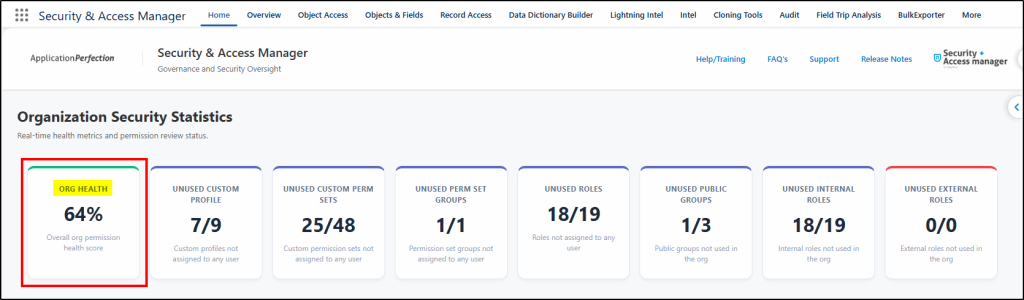
Unused Profiles, Permissions, and Permission Set Groups
Aim to eliminate unused security resources. Any custom profiles, custom permission sets, and permission set groups should be eliminated to reduce your risk surface. These are also shown on the Home page dashboard.
Roles and Public Groups
Both resources are used to provide resource access to groups of users. Removing any unused roles and public groups also helps improve security and simplify overall security management. Both are shown on the Home page.
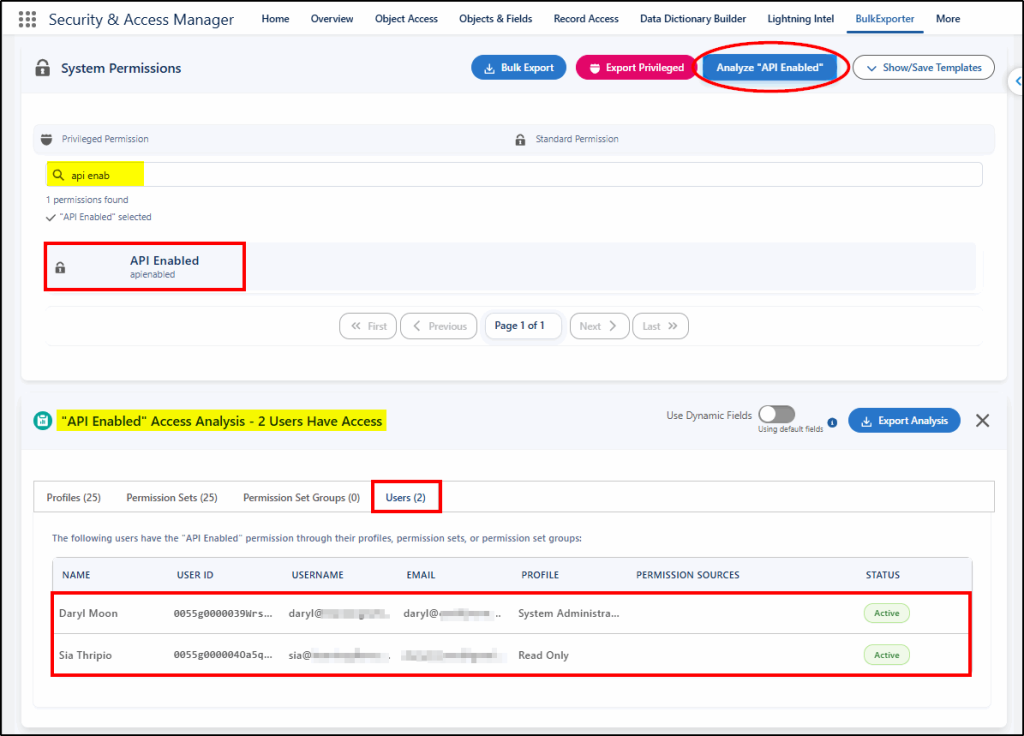
Review Critical System Permissions
Using the Bulk Exporter function, choose critical System Permissions like API Enabled. Ensure only user accounts created to manage external integrations are permitted to use API Enabled permissions:
6. Moving to a Permission-Based security model
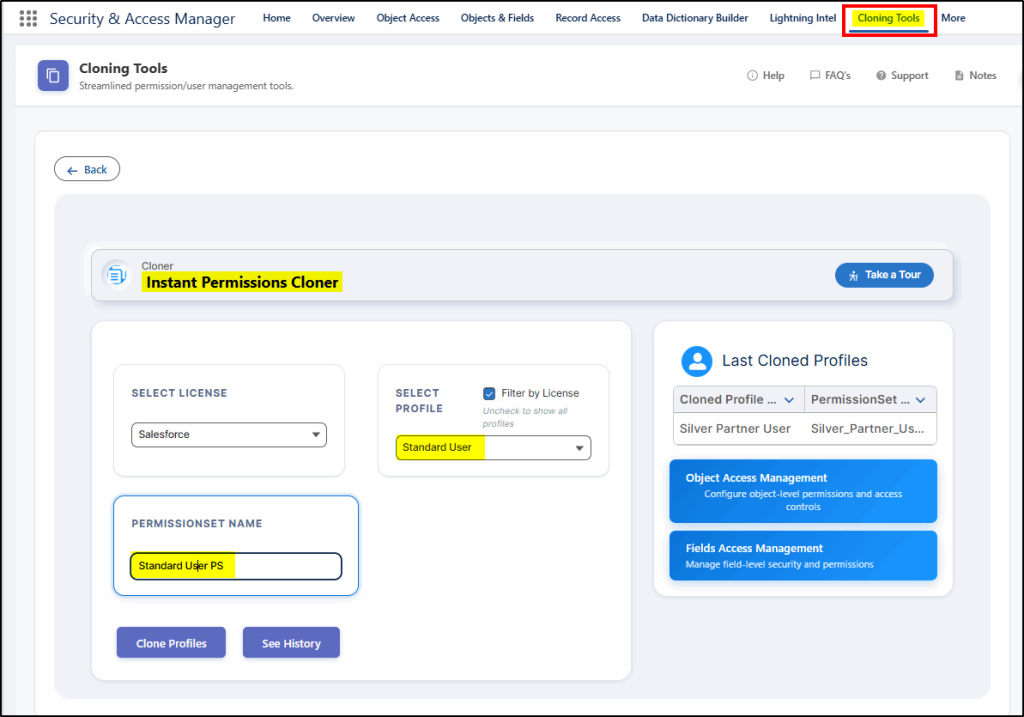
Salesforce recommends moving away from a profile-based security practice to one with minimal profile access, supplemented by granular permission sets and permission set groups based on user personas.
One of the challenges to migrating to this model is the difficulty of breaking profiles apart to create permission sets.
Security and Access Manager provides the Instant Permissions Cloner tool to do exactly that. Take a profile and convert it into a permission set:
7. Review Internal Documentation
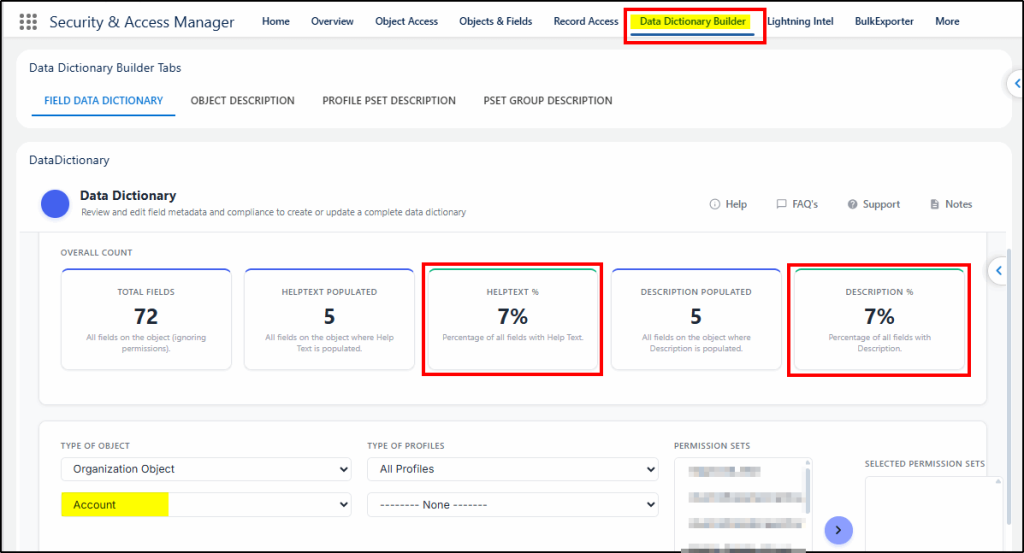
Even without the rise of AI tools that benefit from descriptions, it is best practice to ensure that all custom fields, objects, permission sets, and permission set groups have descriptions and, where appropriate, help text. This “internal” documentation should be clear and concise to explain how the resource is used.
In a security context, this reduces confusion and helps a busy admin make the right choices when verifying user access.
In Security and Access Manager, the Data Dictionary tool provides a quick summary of how well documented your resources are:
8. Conclusion
Permission management is not just an admin task. It is a security and compliance function.
The gap between “we think we are secure” and “we can prove we are compliant” is where most orgs struggle.
Fixing that requires:
- A governed approach to access
- The right tooling to support it
- Clear metrics to track progress
If your current process relies on spreadsheets and manual reviews, it will not scale.
If you want to tighten your security posture and walk into your next audit with confidence, it is time to rethink how you manage access.
Next step:
This link to the AppExchange allows you to access a live demo (Try It), and under the resources tab, you can access an overview of the suite of products, plus download the Best Practices for Managing Salesforce Security whitepaper.
https://appexchange.salesforce.com/appxListingDetail?listingId=a0N3A00000Ei6FwUAJ